Hogwarts Legacy fan UI redesign showing three game interface screens: inventory with gear stats, a map of Hogsmeade Valley and Forbidden Forest, and a quest log with story quest details.

Hogwarts Legacy fan UI redesign

Solo project

Game UX flow & prototyping

In learning more about Hogwarts Legacy's UI, I set out to rethink the UX and redesign the UI. The goal was to have this turn into a game fidelity working prototype.

2023 (<1 Week)
Date
UX design, Prototyping
Role

Making a game-fidelity prototype

Demonstration

Short, 3-minute commentary video

I was looking at games with cursor navigation systems, and Hogwarts Legacy stood out to me. It was interesting to see how they organized their information and set all this content on the screen.

I wanted to reconsider the overall menu information architecture and the user’s flow through the UI.

In the following sections, this case study will walk you through some thinking that went into restructuring the menu flows and designing the focus-based UI interactions.

Identifying pain points

Understanding their navigation system

Considering the context

It’s important to note that users always start with this radial menu when they enter the pause menu. The slow crawl of the cursor every time they want to navigate to their desired menu adds up over time.

Speeding up the menu navigation from entry to exit was my deciding factor in shifting to a focused-based navigation system. Below are a few more concerns I found with the existing UI that I address in my redesign.
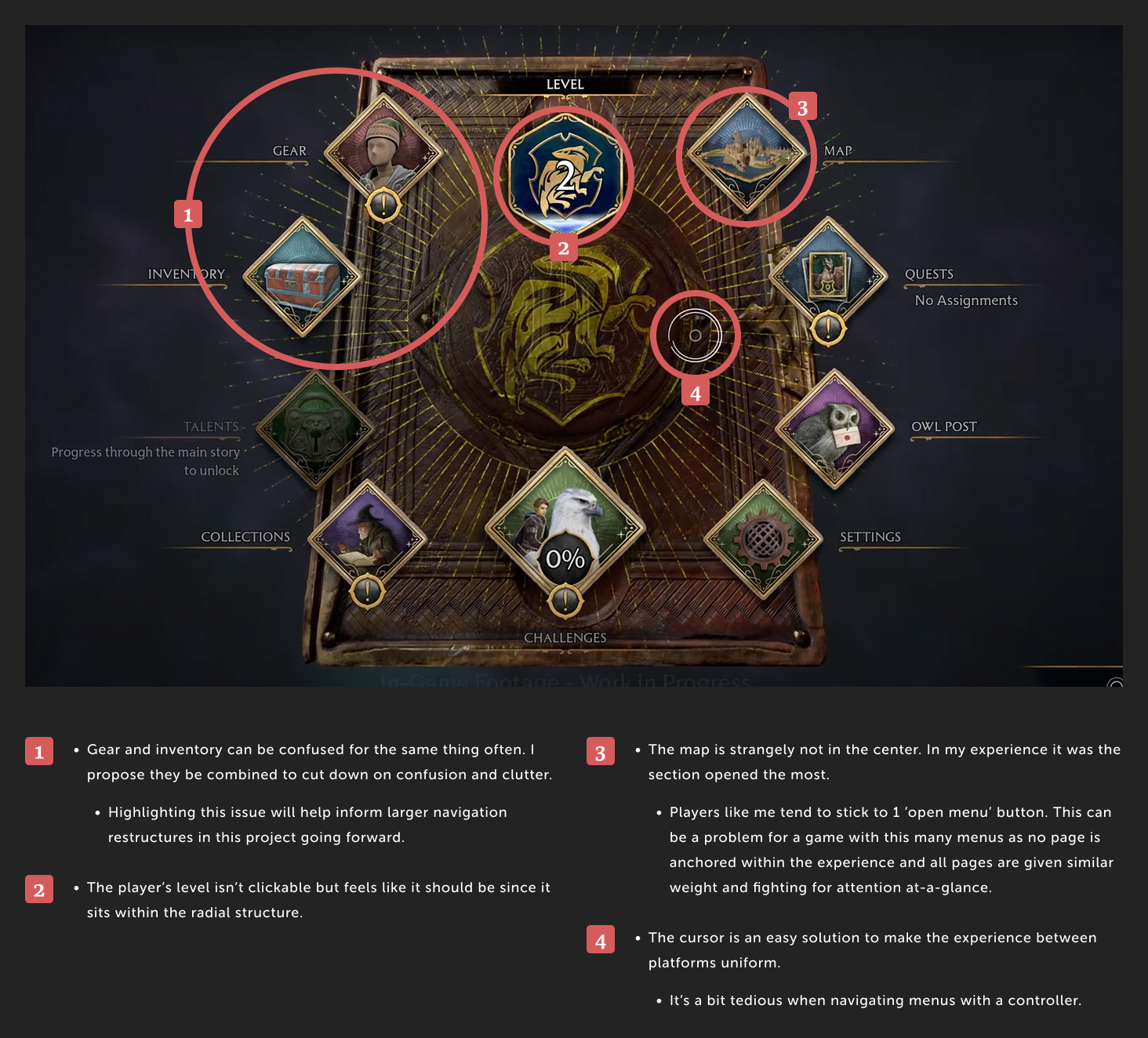
Radial game menu interface with icons for Gear, Inventory, Level, Map, Quests, Owl Post, Settings, Challenges, Collections, and Talents, with critique notes highlighting menu design issues.

Why redesign the cursor?

Understanding why the cursor was used

Cursor-style navigation systems in games are very common. This is due to them being easy to unify the experience across different consoles with multiple input styles.

Why design for a focus-based navigation

Goals for this project

This is largely a passion project to gain a better understanding for designing for controller-first experiences. While I understand the benefit of both in either context, I thought it would be a great thought experiment to take a game UI that relies heavily on the cursor and reimagine the experience without it.

Benefit of focused-based menus

With the proposed menu structure reorganization below, I wanted to speed up the prosses of menu navigation so players could be back in the action quicker. As it is now, menu and sub-menu navigation eats up a lot of time for players.

My reasoning

I wanted to think about a what-if scenario for a game that relies on it's cursor navigation becoming a controller-first experience.

Benefit of cursor-based

It's easy to make the experiences across-platforms uniform and can save on development time in that way.

Benefit of focused-based

Speedier navigation that can lean into the uniqueness of the controller and its features.

Re-examining the information architecture

Looking at the existing tabs they have, some of them fill very similar roles. For instance, players might have a rough time trying to find their latest broom. Is it in the inventory or gear menu?

With this in mind, it was important to me to identify the primary goal of each page and see what realm of the player's experience they existed within.

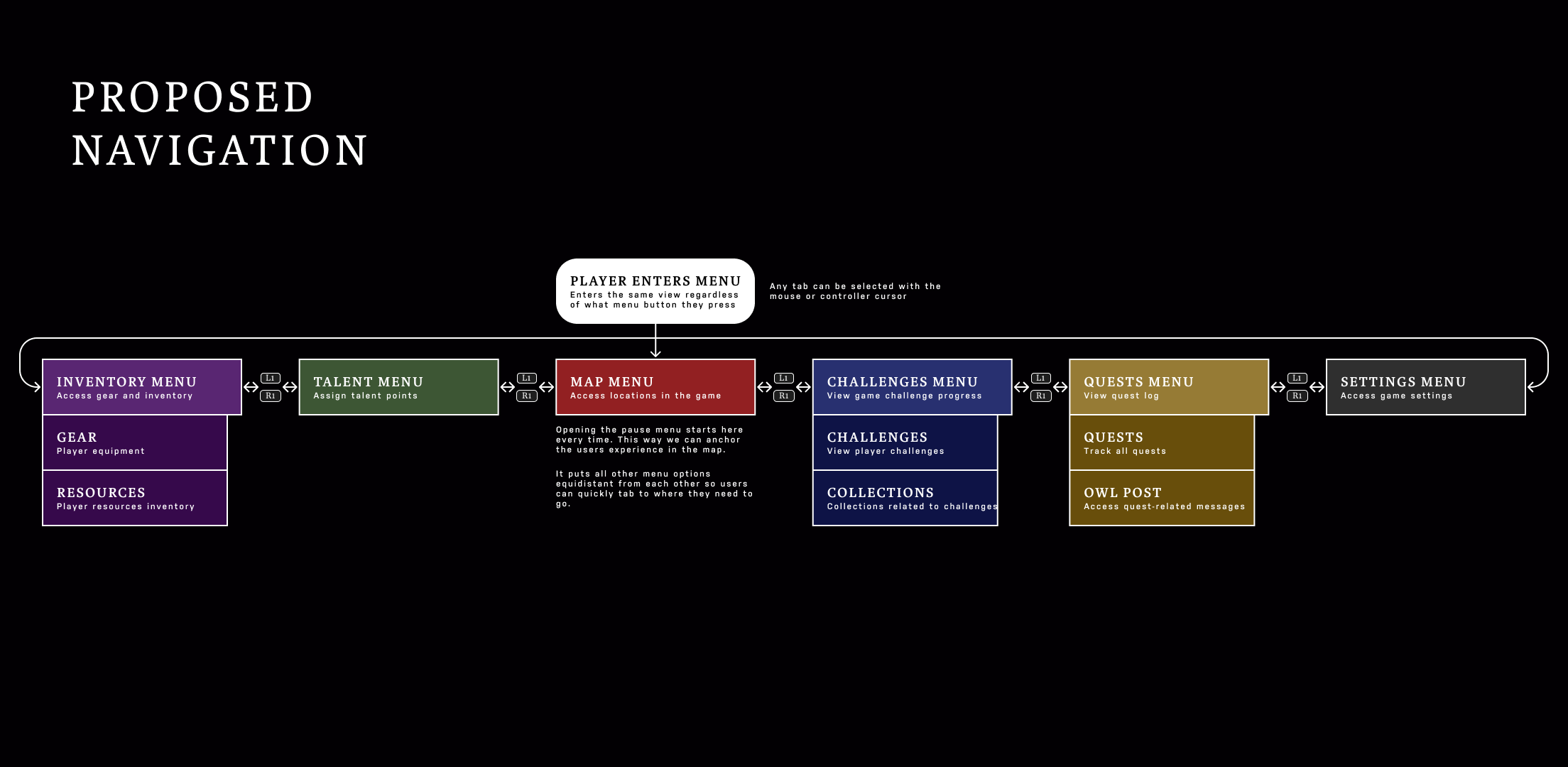
Then, I could use this information to restructure the tabs to avoid confusion. Things like prioritizing gear over the resources menu make a lot of sense since players will interact with their gear much more often than their pouch.

Also, anchoring the players to the map whenever they enter the menu was a priority, as many other systems interact with it.
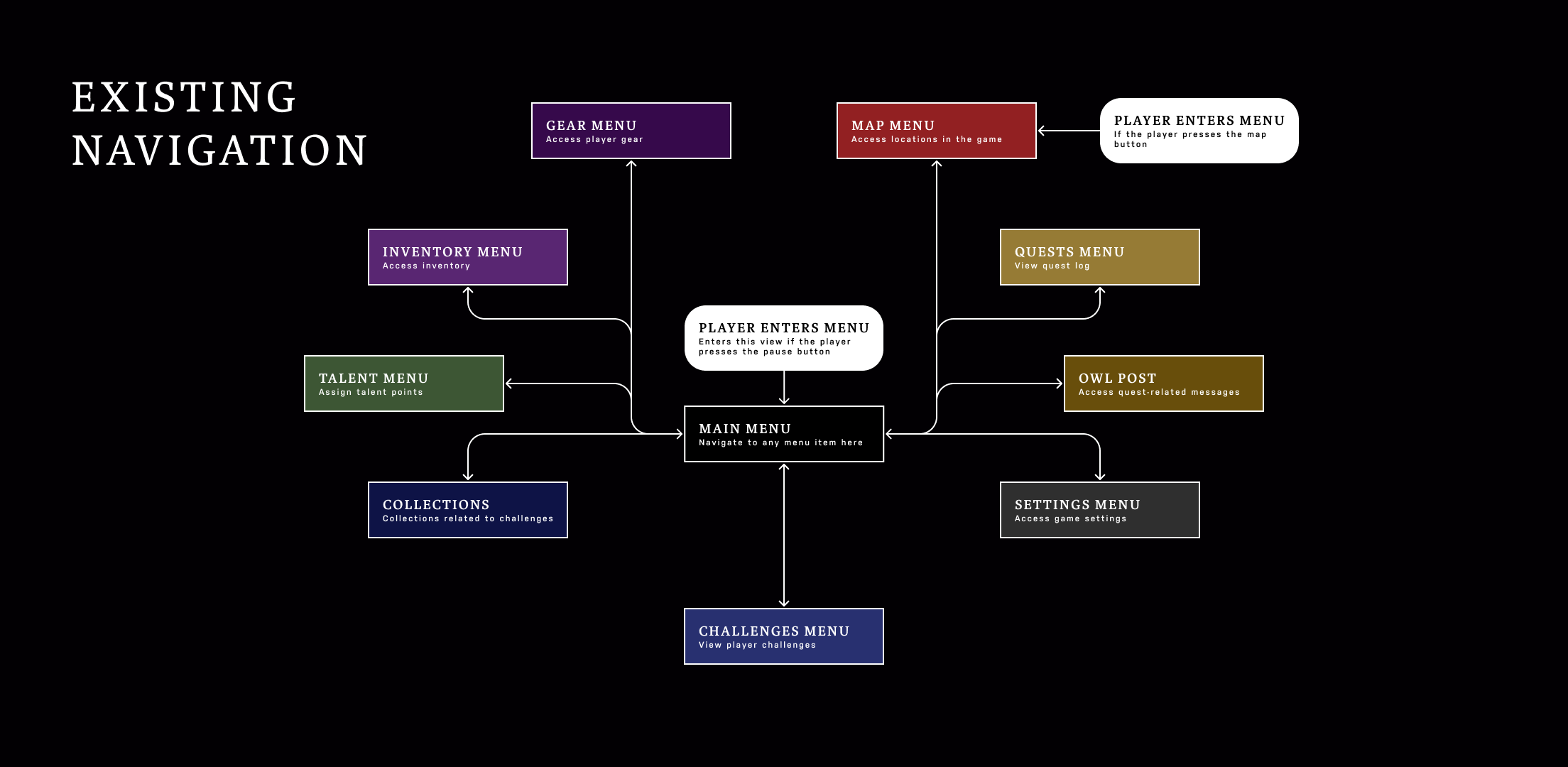
Flowchart of game menu navigation showing player entering main menu from pause button, with options to access gear, inventory, talent, collections, challenges, map, quests, owl post, and settings menus.
Diagram of proposed game menu navigation consisting of Inventory, Talent, Map, Challenges, Quests, and Settings menus linked in a circular flow with player entering menu at Map.

Creating the wireframes

Using Figma

Understanding the tools

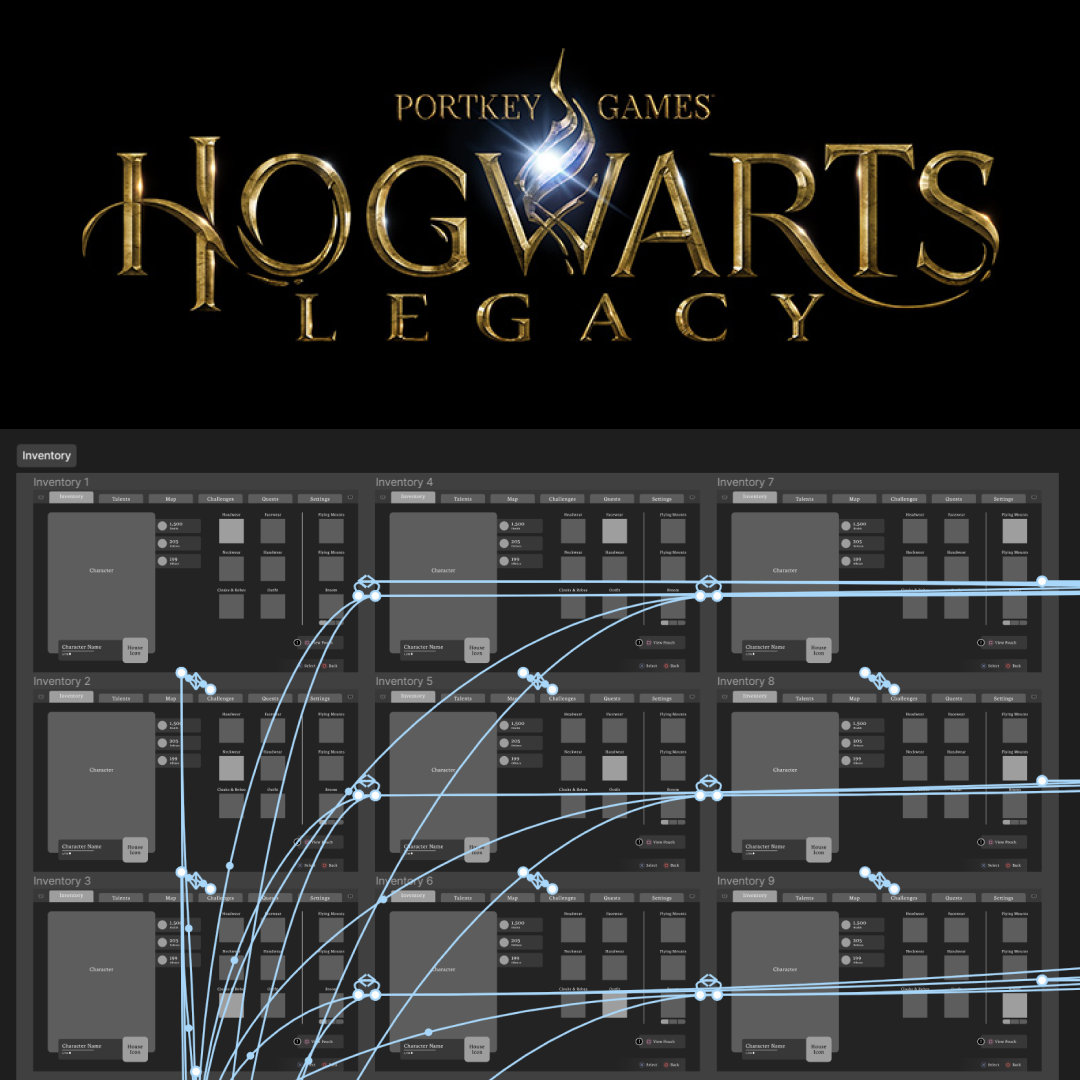
I utilized Figma’s robust prototyping system to create a prototype that people could test with a controller. This helps keep the development process brief as a team could quickly create a game-fidelity prototype without the need to implement in engine.

I completed a large portion of this prototype with the help of Aashrey Sharma’s Figma plugin, Prototyper, over 2 days.
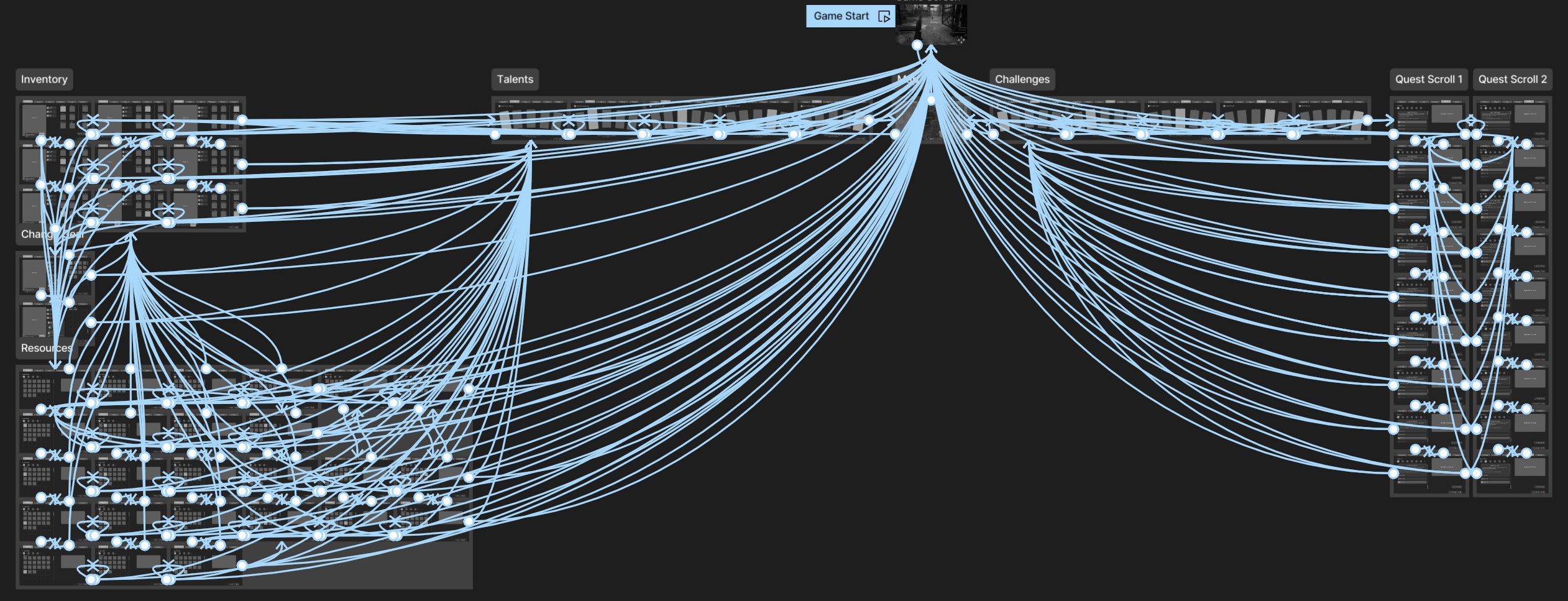
Complex Fligma prototype flowchart showing interconnected game prototype UI screens including Game Start, Inventory, Talents, Challenges, Resources, and Quest Scrolls with multiple linking arrows on a dark background.
Snapshot of how this prototype is linked together

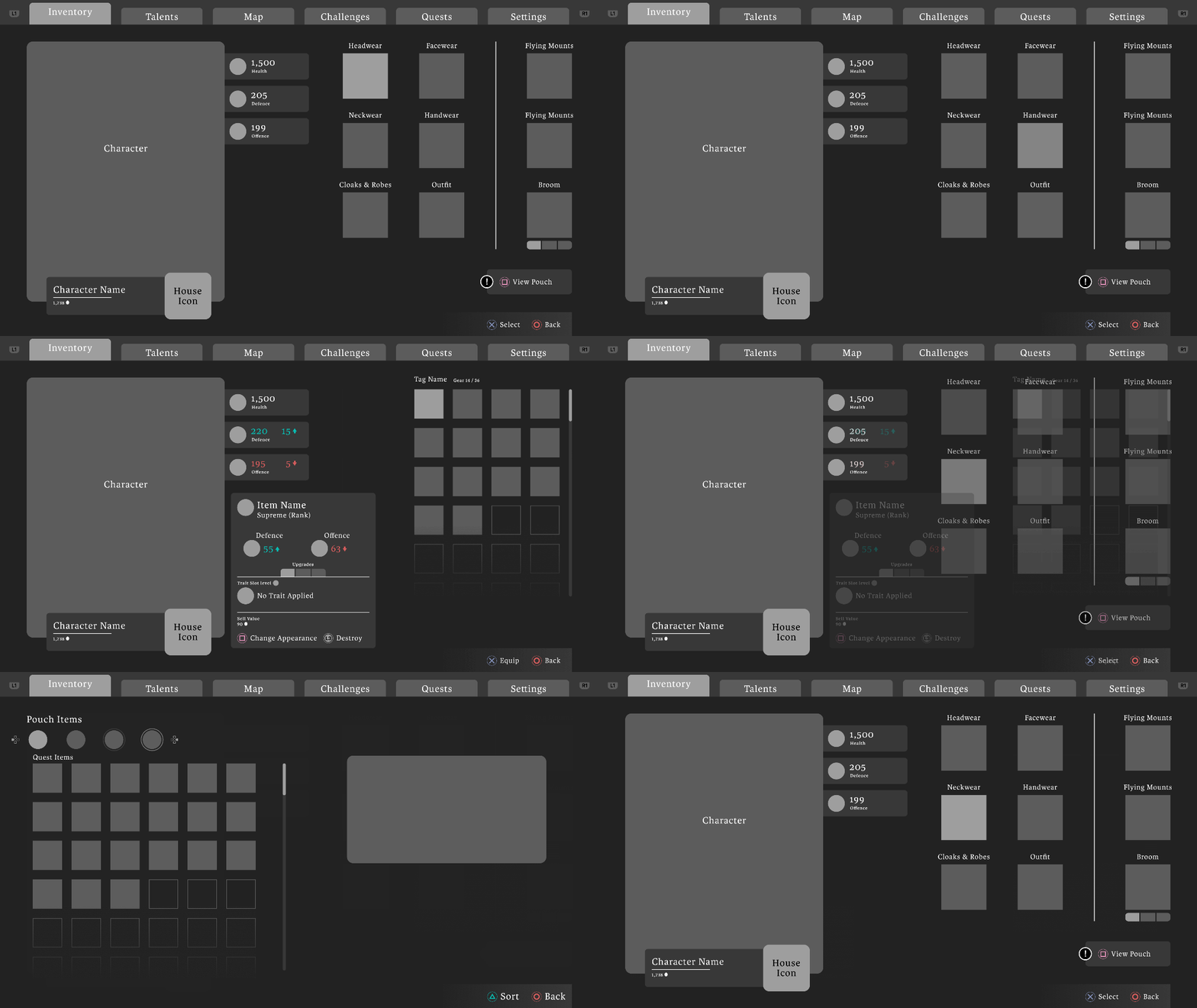
Inventory menu design

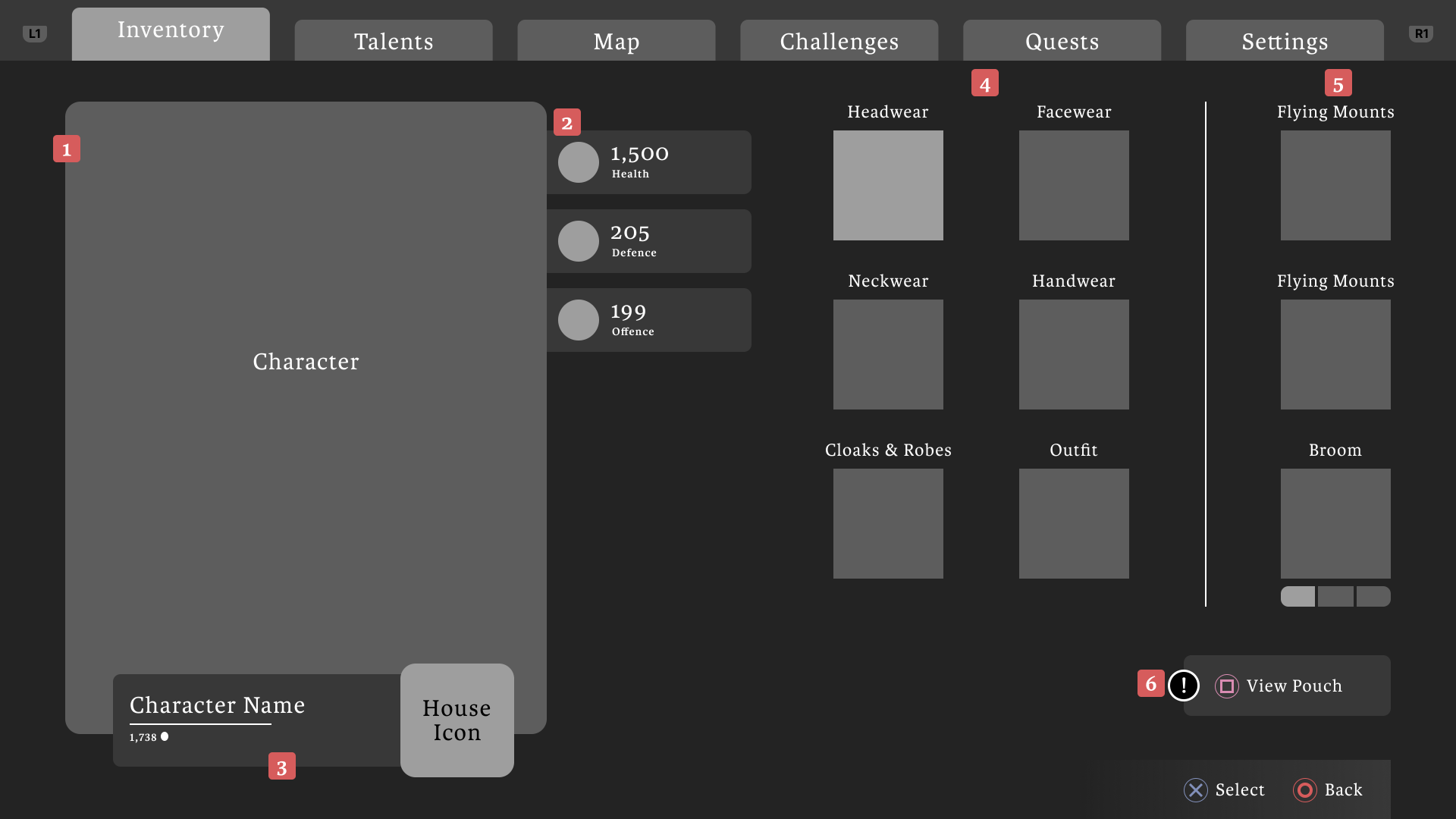
Video game inventory UI showing character stats for health, defense, and offense, equipment slots for headwear, facewear, neckwear, handwear, cloaks & robes, outfit, flying mounts, and broom, with navigation tabs at top.
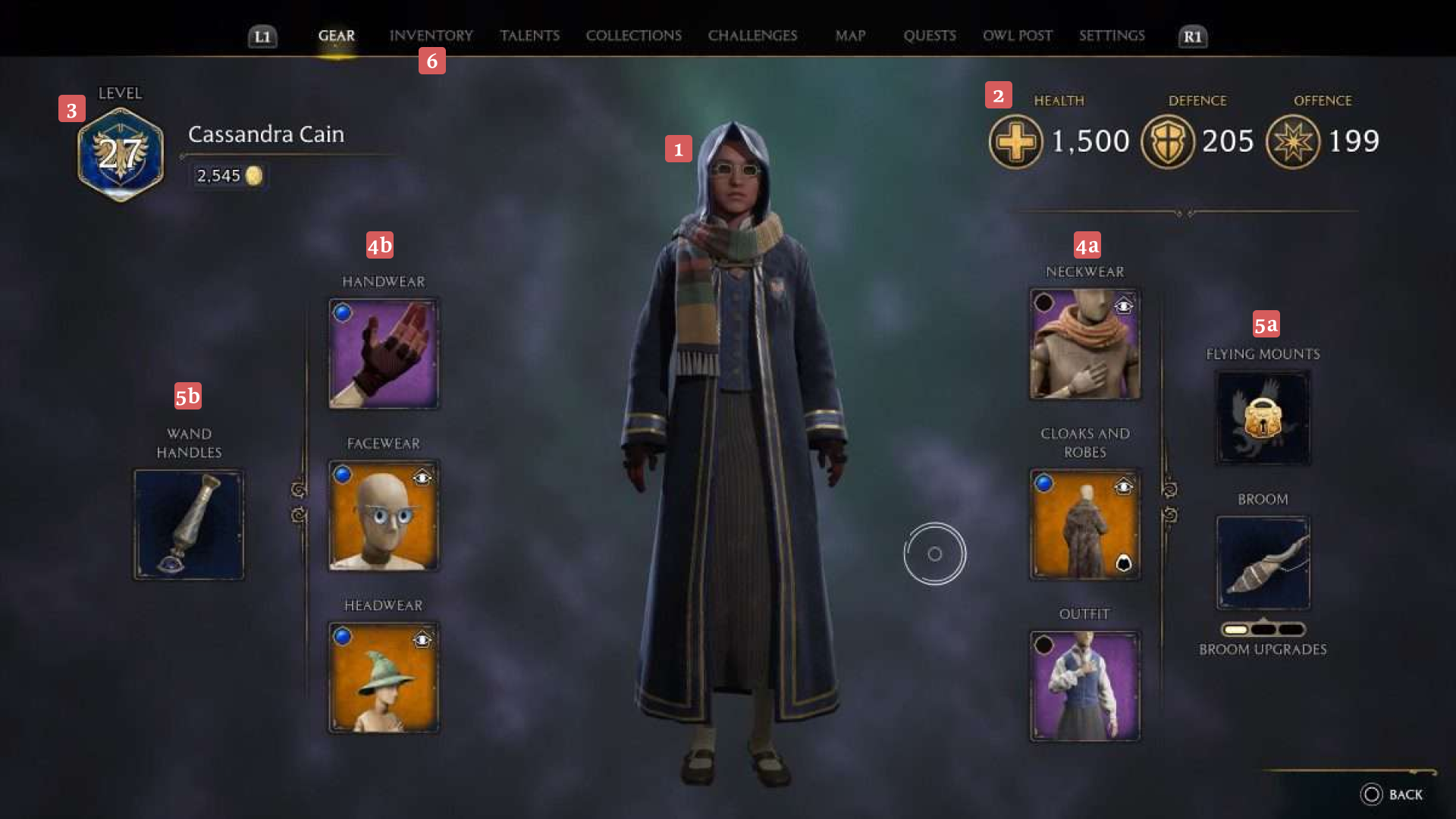
Video game gear screen showing character Cassandra Cain at level 27, with health 1500, defence 205, offence 199, displaying equipped items including neckwear, cloaks and robes, outfit, handwear, facewear, headwear, wand handles, flying mounts, and broom upgrades.Video game inventory screen showing character details, health 1500, defence 205, offence 199, and slots for headwear, facewear, neckwear, handwear, cloaks and robes, outfit, flying mounts, and broom.
Before
After
Gear main menu UI | Use the slider to compare my design with the original
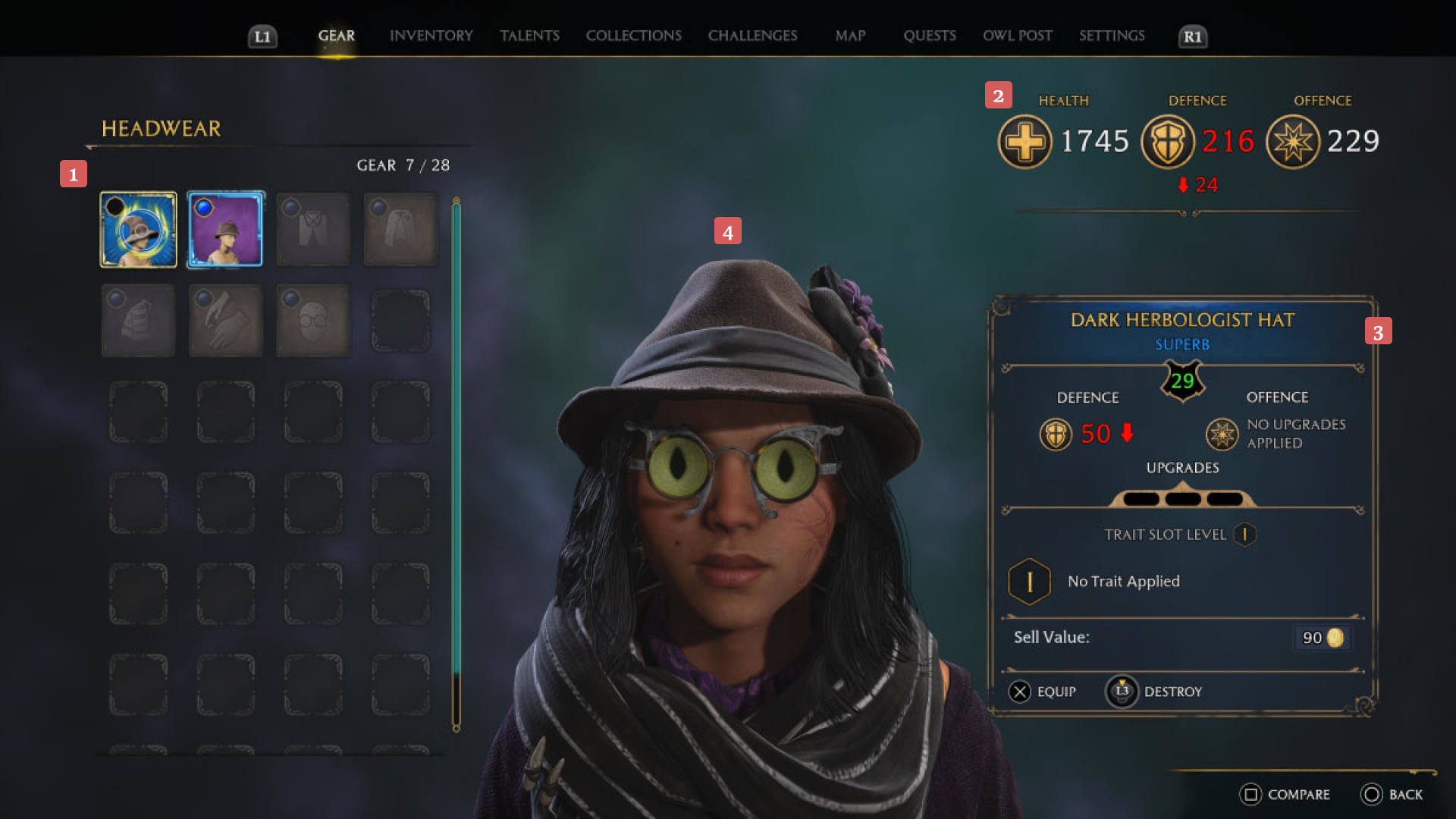
Video game gear menu showing headwear selection with Dark Herbologist Hat equipped, featuring a character wearing a brown hat with glasses having green cat-like lenses.Video game inventory screen showing character stats, gear items with defense and offense values, upgrades, and options to change appearance or destroy items.
Before
After
Gear item detail menu UI | Use the slider to compare my design with the original
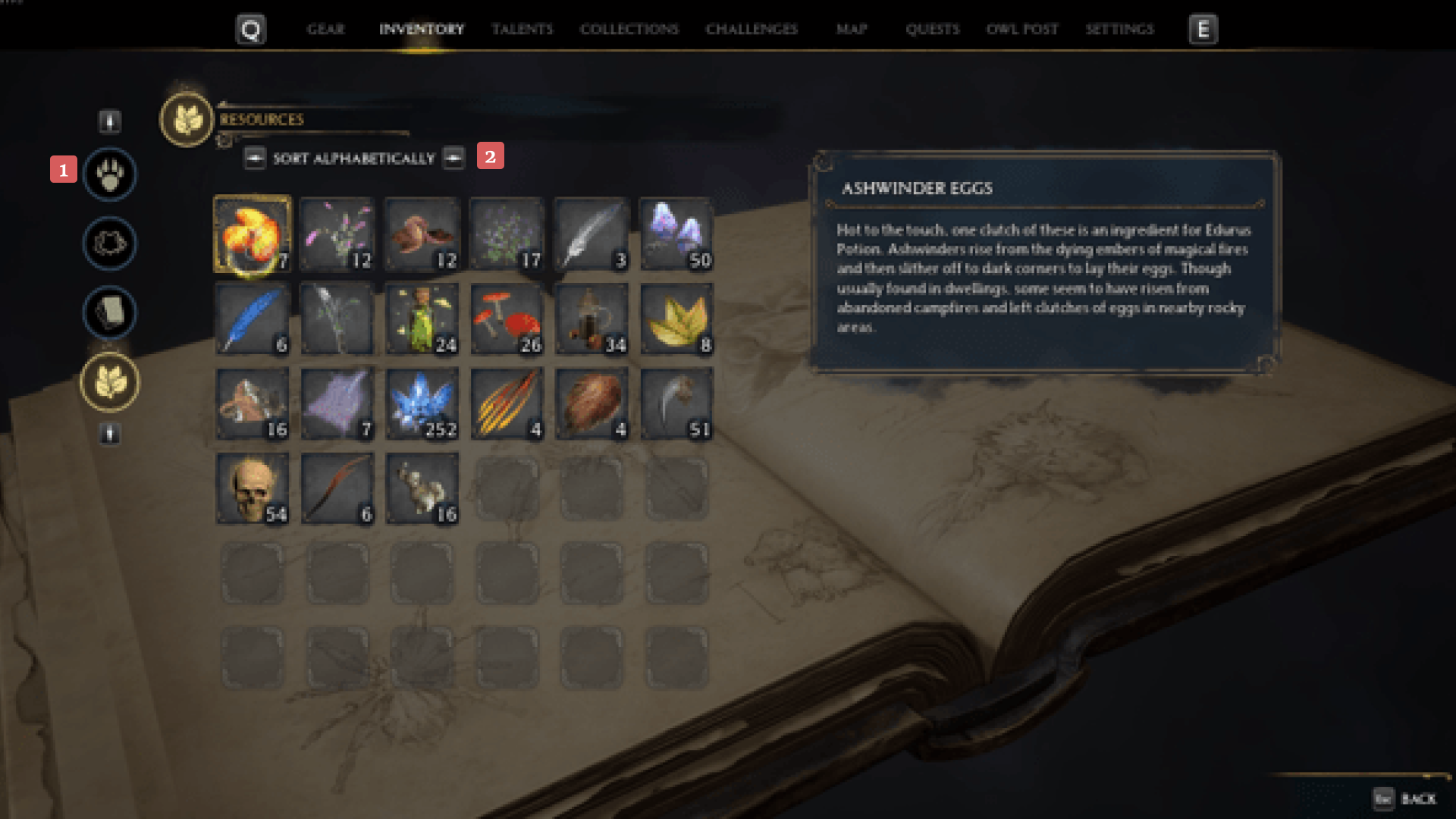
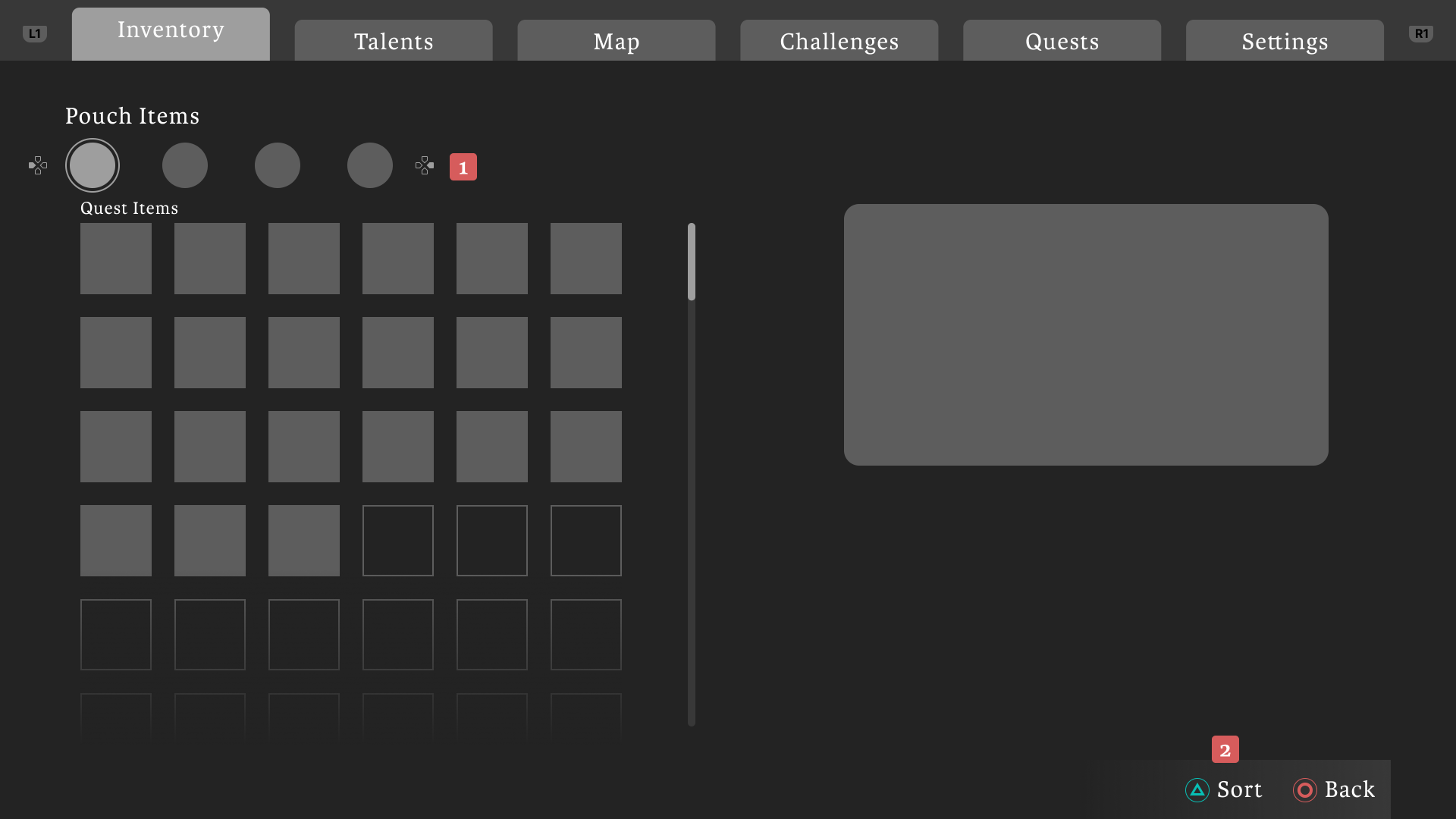
Video game inventory screen showing various resource items including herbs, feathers, crystals, and ashwinder eggs with a description panel on the right.Video game inventory screen showing pouch items with quest items grid and menu tabs including Inventory, Talents, Map, Challenges, Quests, and Settings.
Before
After
Inventory menu UI | Use the slider to compare my design with the original

Telent menu design

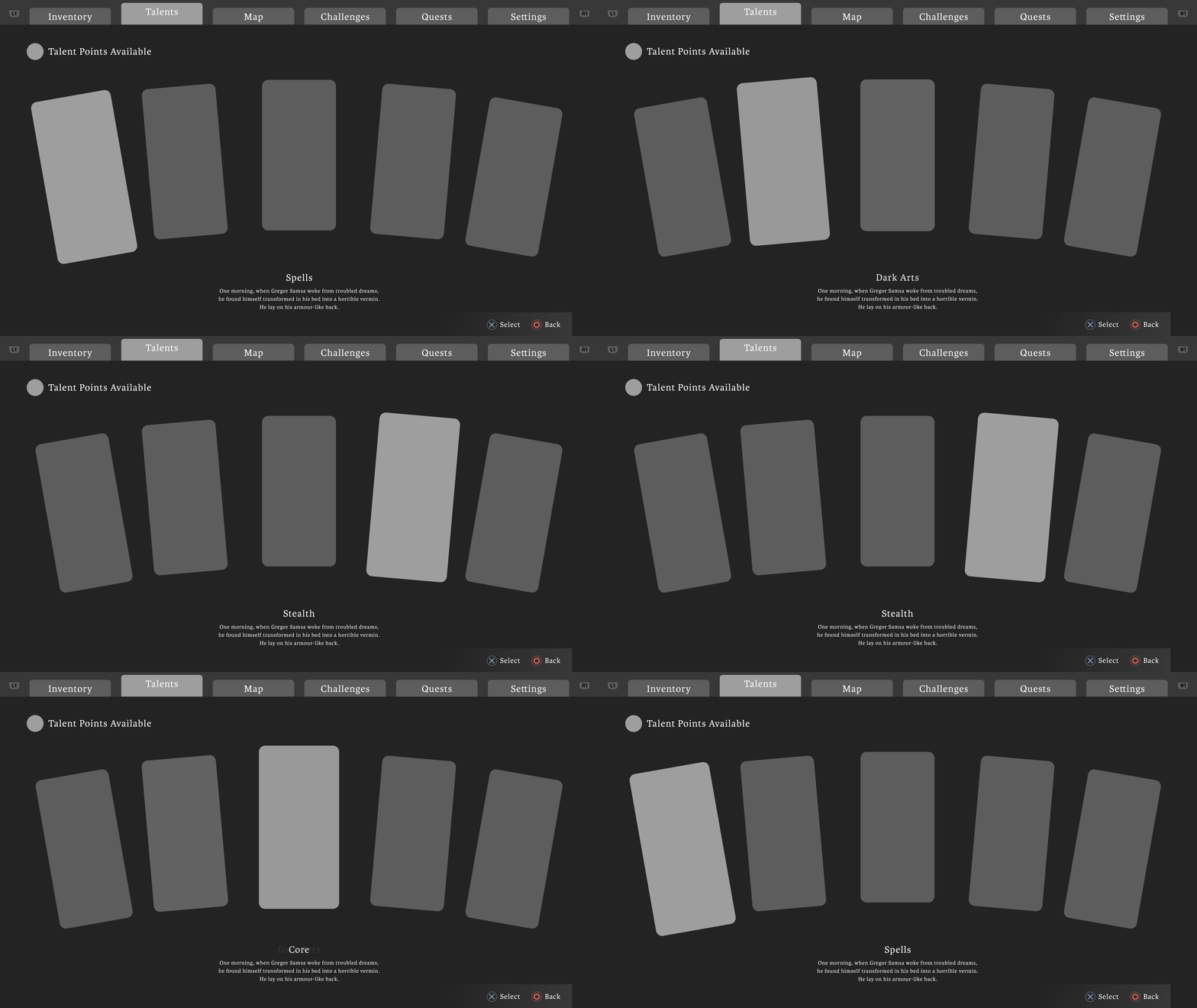
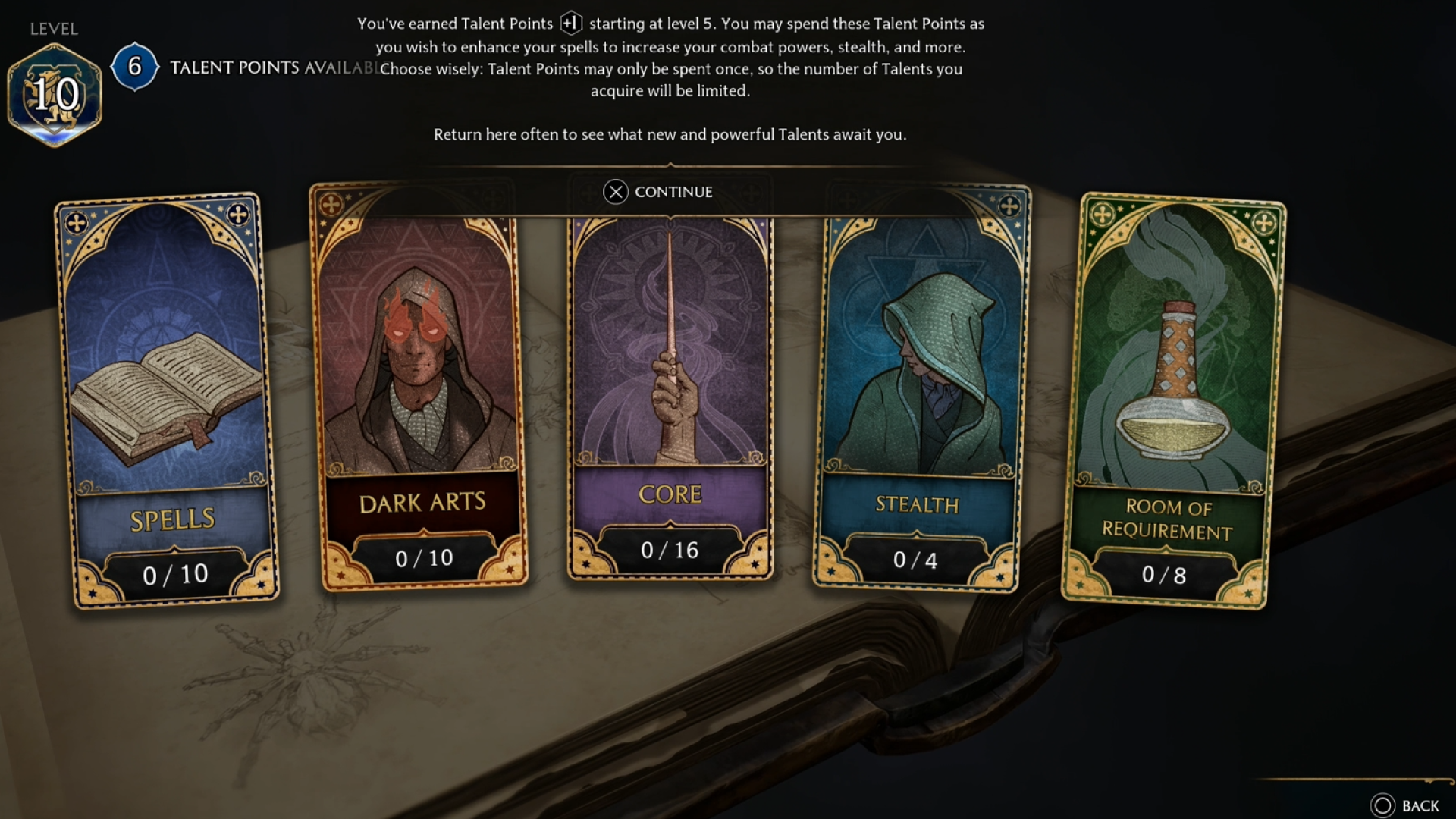
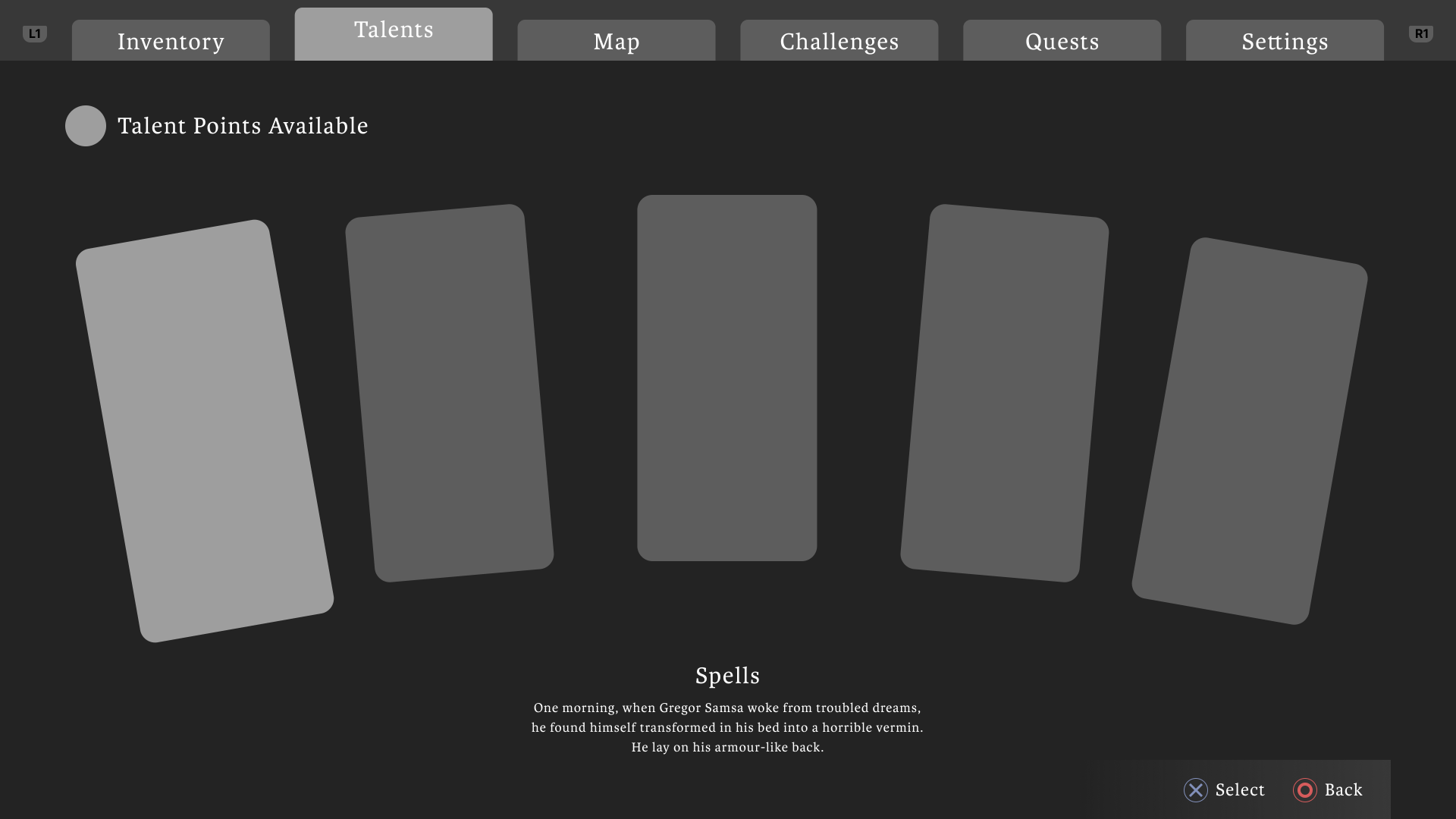
Video game menu screen displaying 'Talents' selection with five talent cards and a brief spell description referencing Gregor Samsa.
Game talent screen showing level 10, 6 talent points available, with talent categories Spells, Dark Arts, Core, Stealth, and Room of Requirement.Video game menu with tabs for Inventory, Talents, Map, Challenges, Quests, and Settings; the Talents tab is selected showing five gray cards labeled Spells and a note about talent points available.
Before
After
Talents menu UI | Use the slider to compare my design with the original

Map menu design

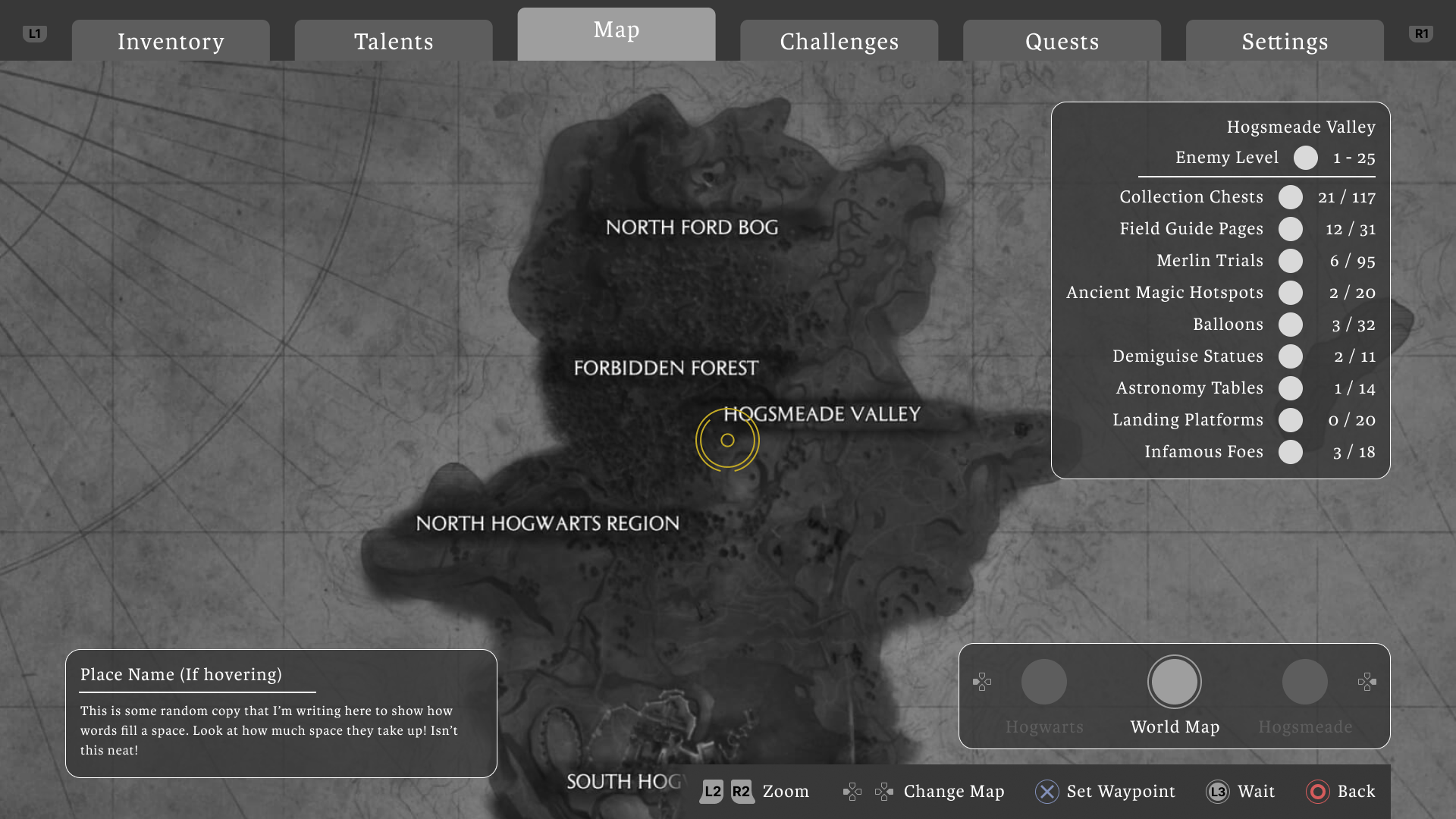
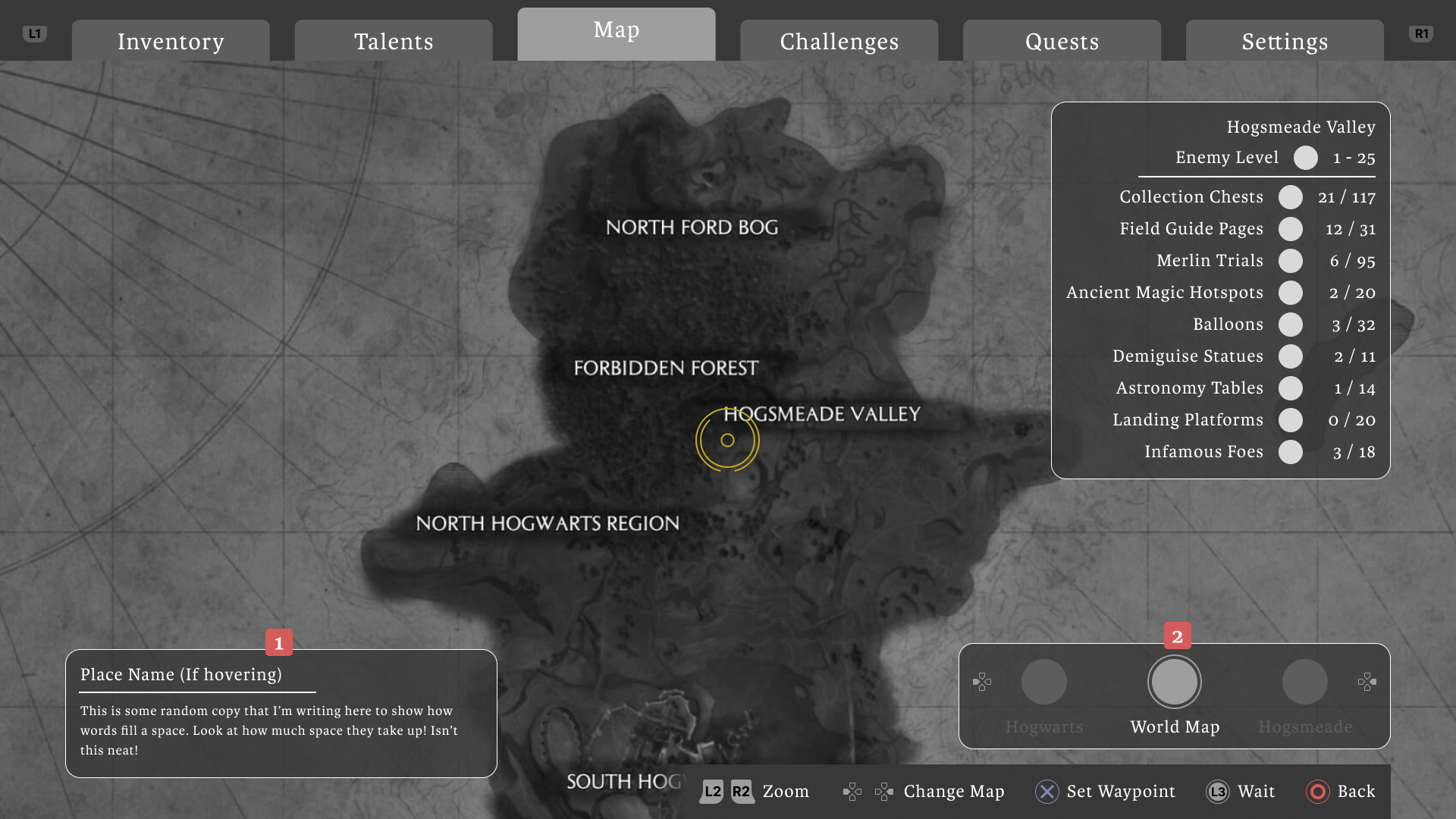
Video game map screen showing regions North Ford Bog, Forbidden Forest, Hogsmeade Valley, and North Hogwarts Region with a stats panel for Hogsmeade Valley collectibles and controls for zoom, map change, waypoint, wait, and back.
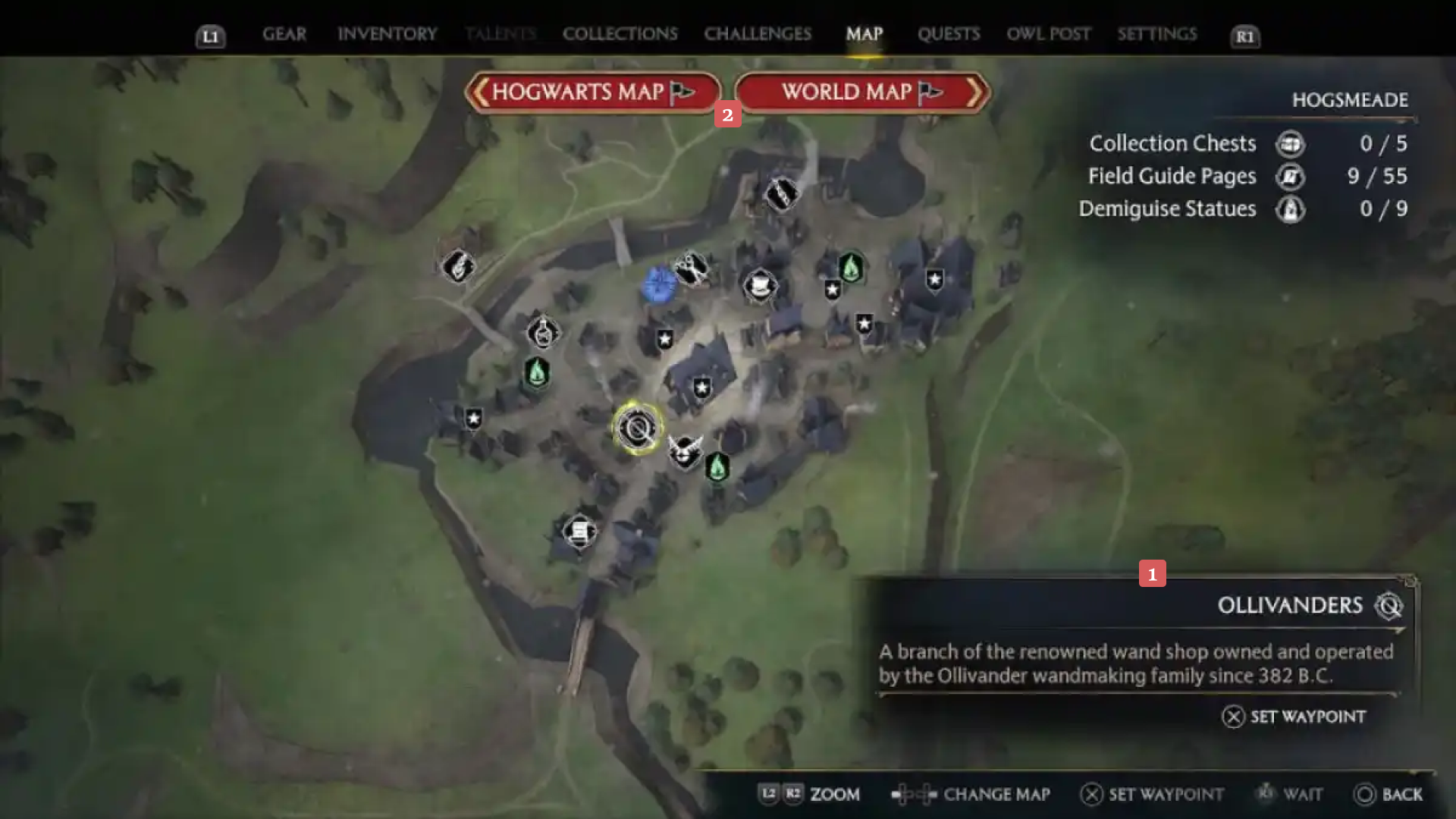
Map of Hogsmeade village in a game screen showing various icons for collectibles and landmarks, with Ollivanders wand shop highlighted and a description about its wandmaking history.Game map screen showing Hogsmeade Valley, North Hogwarts Region, North Ford Bog, Forbidden Forest, and South Hogwarts with a details panel listing collection stats and control guide.
Before
After
Map menu UI | Use the slider to compare my design with the original

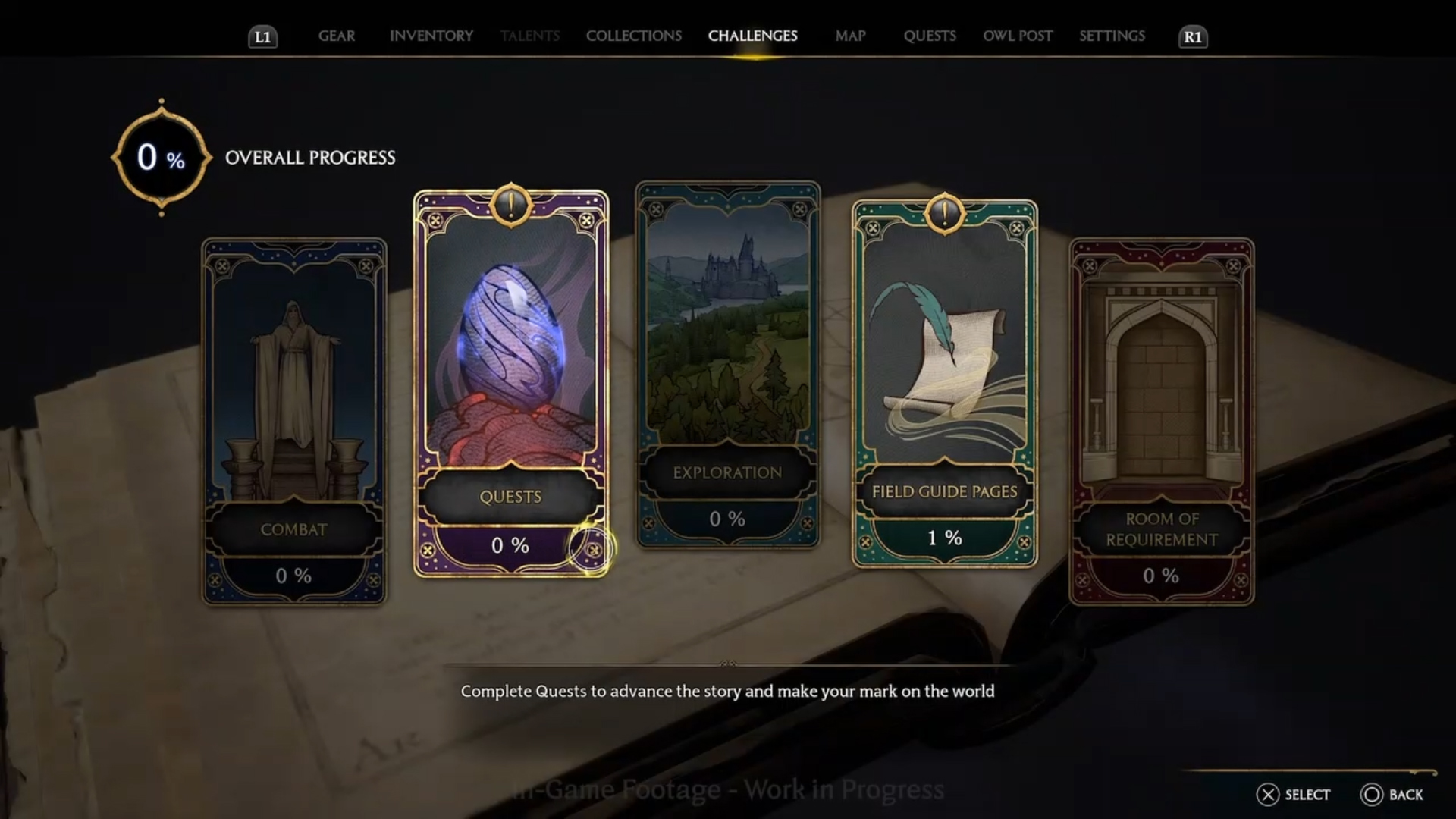
Challenges menu design

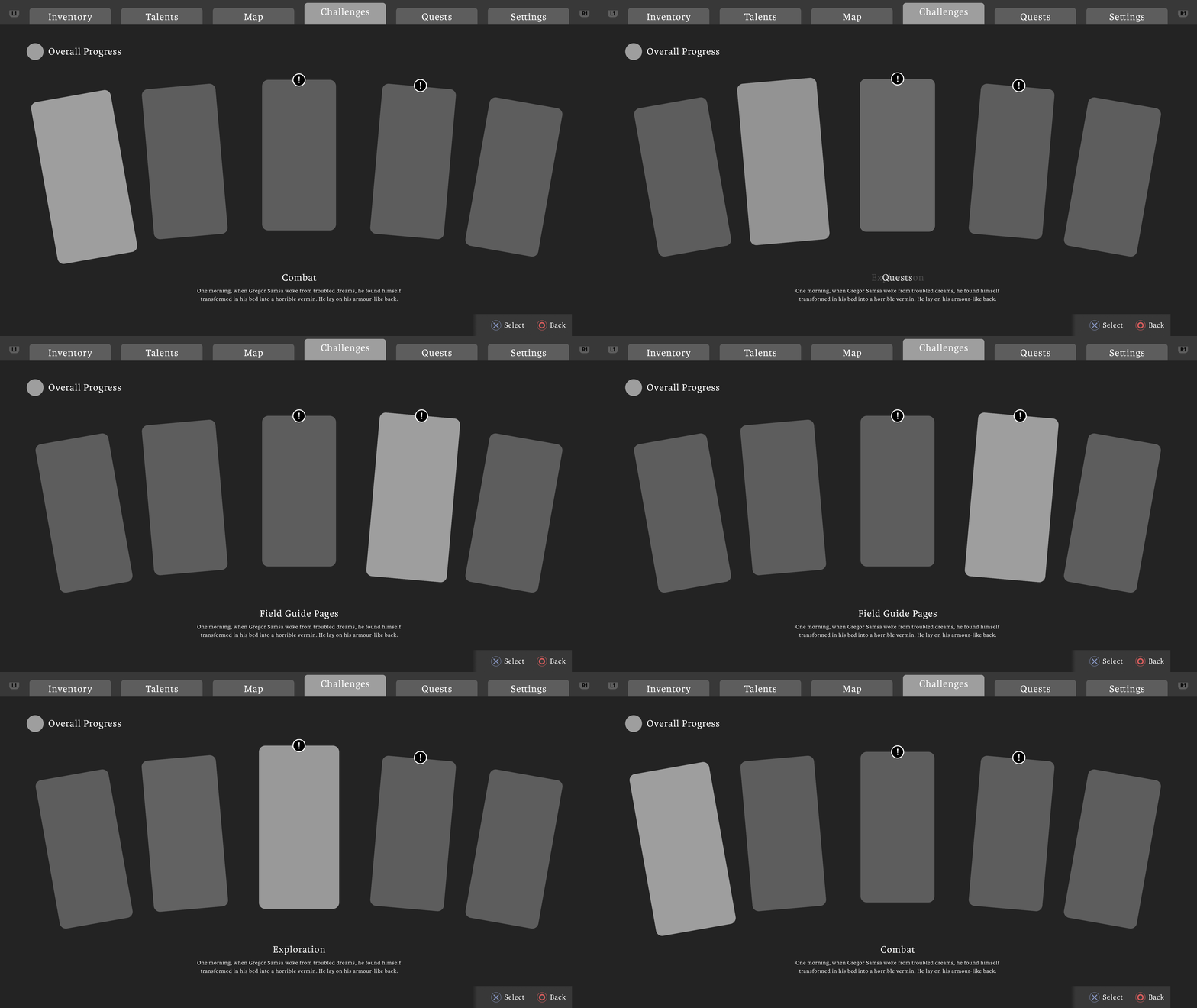
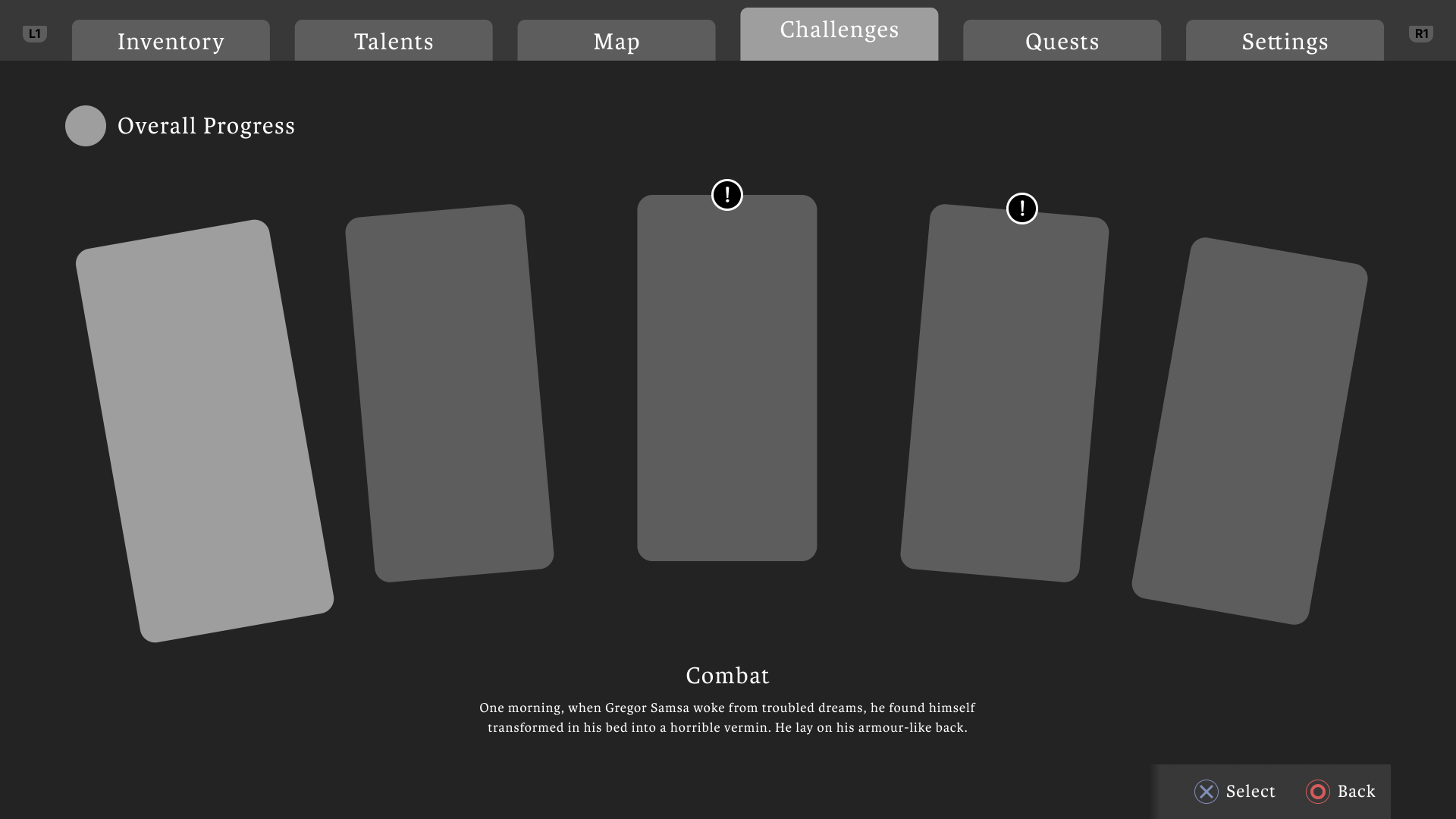
Video game menu screen showing the Challenges tab with five challenge cards, two marked with exclamation icons, and descriptive text about Combat challenge.
Game challenges menu showing five categories: Combat, Quests, Exploration, Field Guide Pages, and Room of Requirement with progress percentages.Video game interface showing a Challenges menu with five cards in a curved layout, highlighting Overall Progress and a Combat challenge description.
Before
After
Challenges menu UI | Use the slider to compare my design with the original

Quest menu design

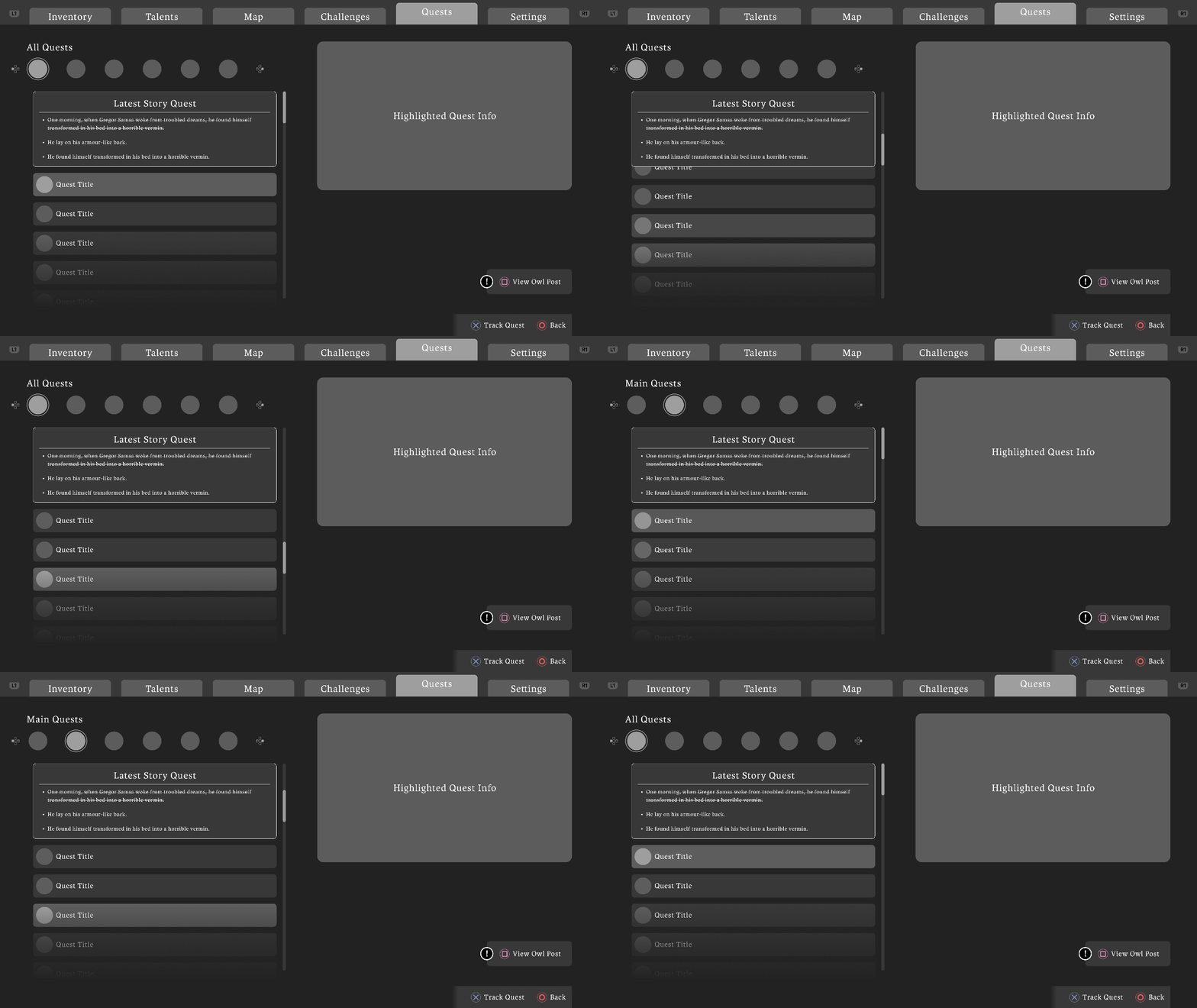
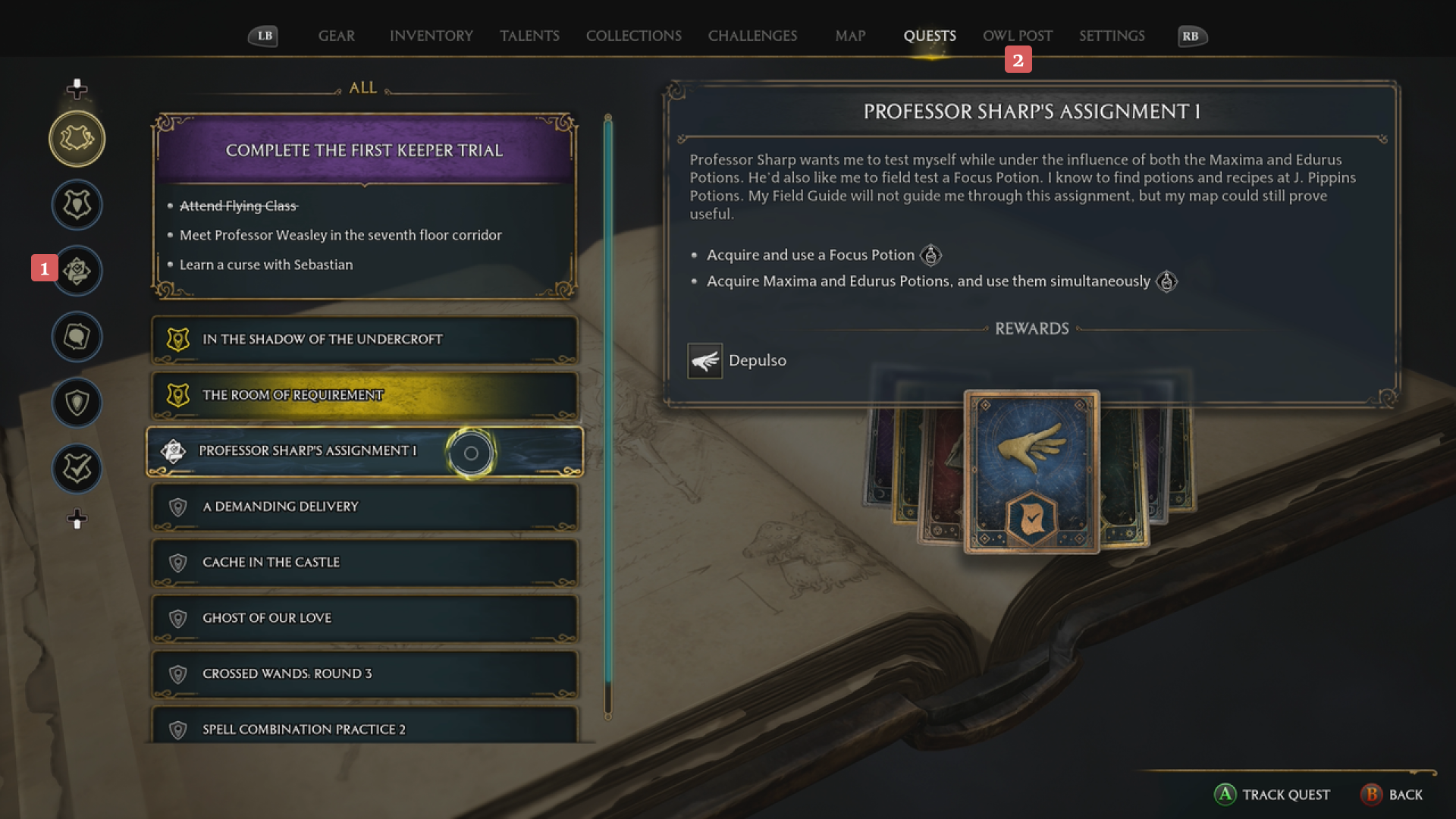
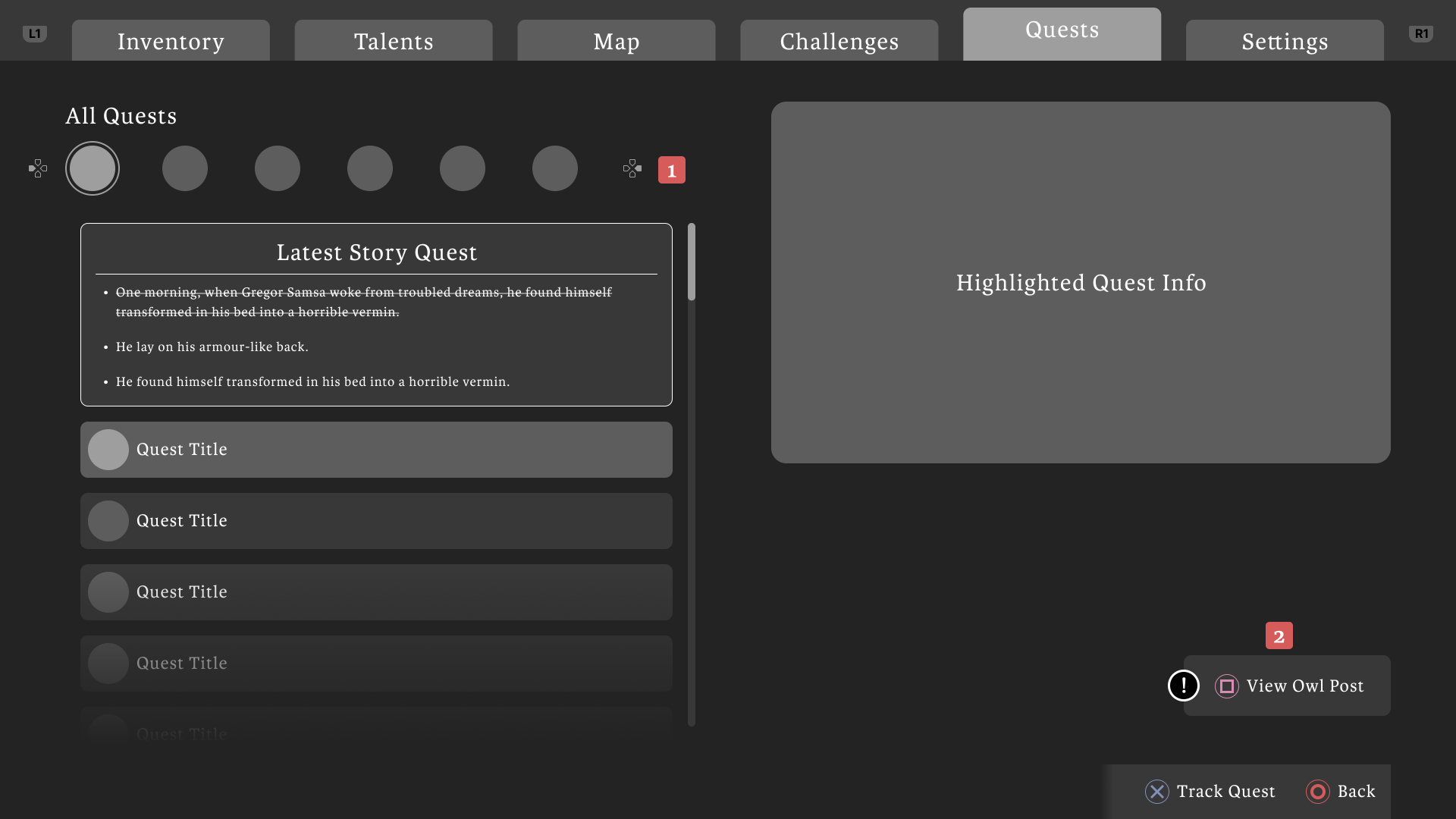
Video game quest menu showing tabs for Inventory, Talents, Map, Challenges, Quests, and Settings, with Quests tab selected. Quest list on the left includes a Latest Story Quest summary, and options to track or view quest details.
Video game quest menu showing a list of quests on the left and details of 'Professor Sharp's Assignment 1' on the right, including objectives and rewards.Video game quest menu screen showing tabs for Inventory, Talents, Map, Challenges, Quests, and Settings, with a list of quests on the left and a highlighted quest info panel on the right.
Before
After
Challenges menu UI | Use the slider to compare my design with the original

Reflecting on this project

Going forward

This project was an exciting opportunity for me to utilize my prototyping skills in the context of game UI. Learning more about the industry tools and creating a playable prototype was really rewarding.

This helped cement my understanding of how effective prototyping can be regarding user testing and discussing ideas with the team. It also helps me, the UX designer, get a good look at how I want the details of interactions to play out early on in the design process.

Let's talk some more

I'd love to walk you through my process and talk through decisions. If something in this case study caught your eye, I'd love to chat.