The Sims 4 logo with text 'In-Game Store UX/UI Redesign' on a blue geometric background.

The Sims 4 fan UI redesign

Solo project

Customer experience & video game UI

The Sims 4 in-game store is hard to browse and doesn't reflect how players actually think about packs. I redesigned it to make discovery the core experience.

2023 (2 Weeks)
Date
UX designer, UI branding & design
Role

Rethinking the player's flow

Context

Designing for Sims 4 players

While playing The Sims 4, players can explore all the ‘pack’ options the game has to offer. Players can view these content packs to see and purchase all the content they offer.

I tasked myself with finding creative ways to implement new features for The Sims 4 in-game store flow over the course of a couple of weeks. It'd be good practice to work within a game I love and try to imagine some new features while redesigning the UI's layout.

Innovating on existing designs

Finding the core loop & supporting design pillars

I identified that the current designs did not emphasize an aspect of these ‘packs’ that players in the community enjoy: multi-pack storytelling. With this in mind, I redefined the core design goal to cater to that and have every aspect of the design support this idea.
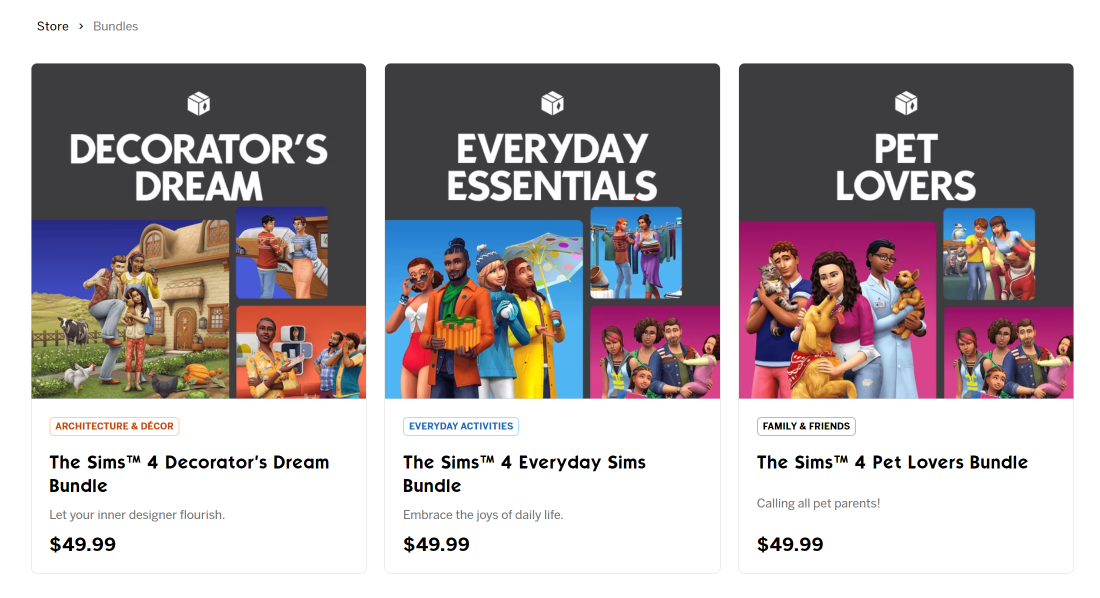
Three bundles for The Sims 4: Decorator's Dream with characters decorating a house, Everyday Essentials with characters in daily life scenes, and Pet Lovers with characters holding pets, each priced at $49.99.
Bundles Maxis uses already that mixes compatible gameplay ideas into a bundle.

Core-pillars-features mapping

I love beginning ideation with a concept map called a core-pillars-features map. It helps keep all new ideas aligned with the core user need/goal/action.
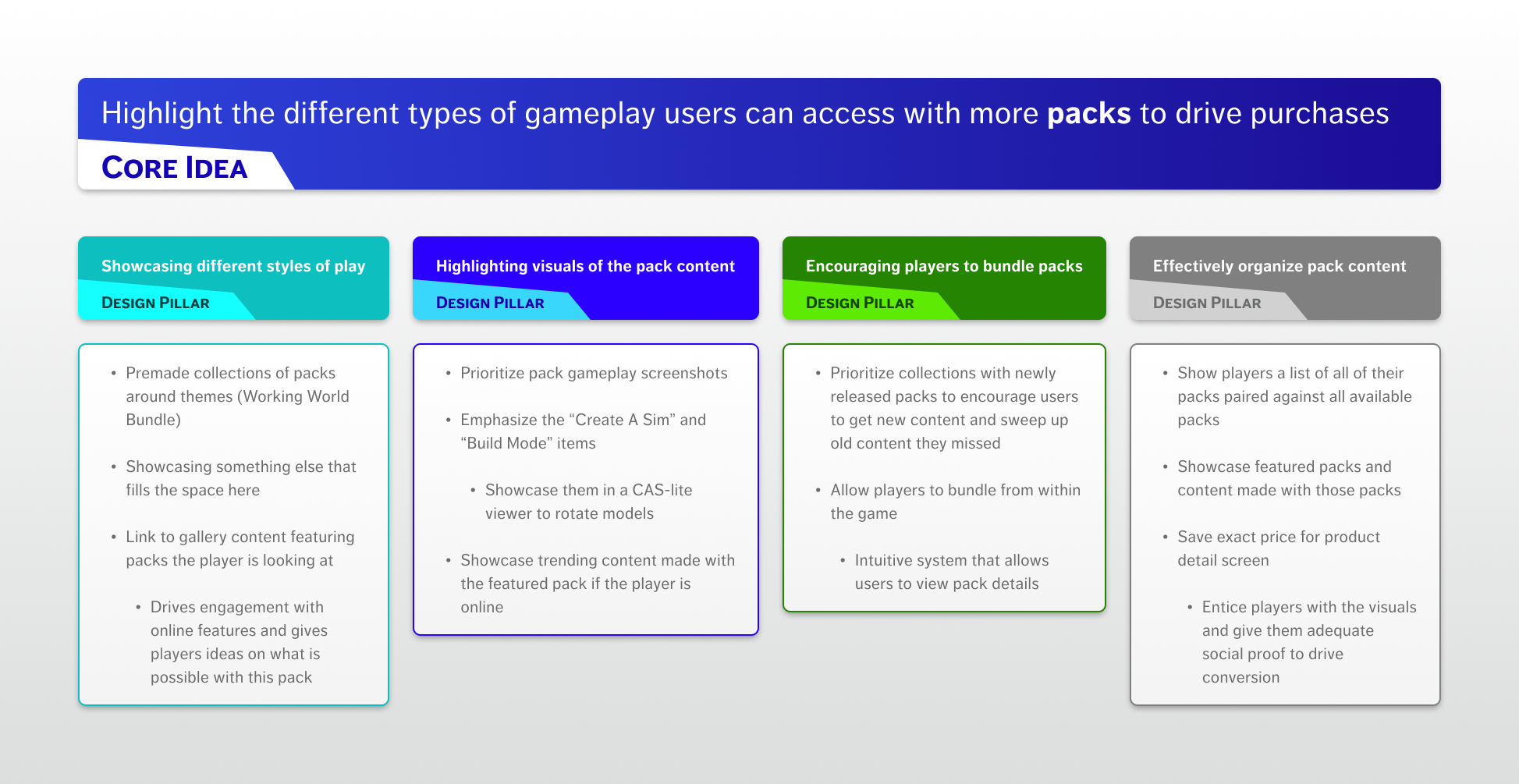
Infographic titled 'Highlight the different types of gameplay users can access with more packs to drive purchases' featuring a core idea and four design pillars about showcasing gameplay pack content, encouraging bundle purchases, and organizing pack content.

Customer journey & flow

From here, I could break out the experience flow into a sitemap. This would show how all the existing and new pages would sit next to each other, and the primary actions users could perform on them.
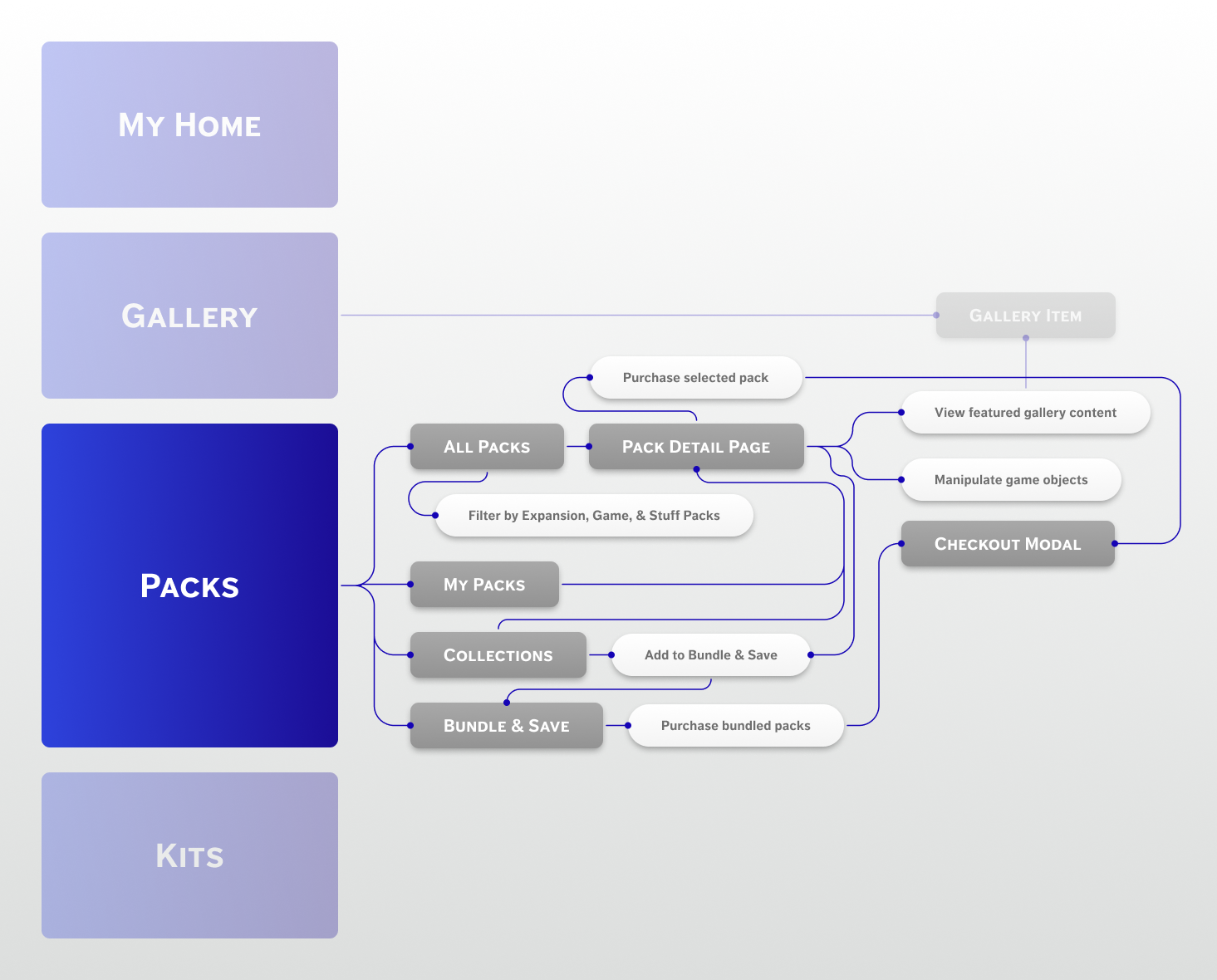
Flowchart illustrating navigation from Packs to All Packs, My Packs, Collections, Bundle & Save, and Pack Detail Page with actions like filtering, purchasing, and checkout modal.
I wanted to focus exclusively on the ‘packs’ flow for this project.

Redesigning the 'packs' home page

Organizing the content

Creating ‘collections’

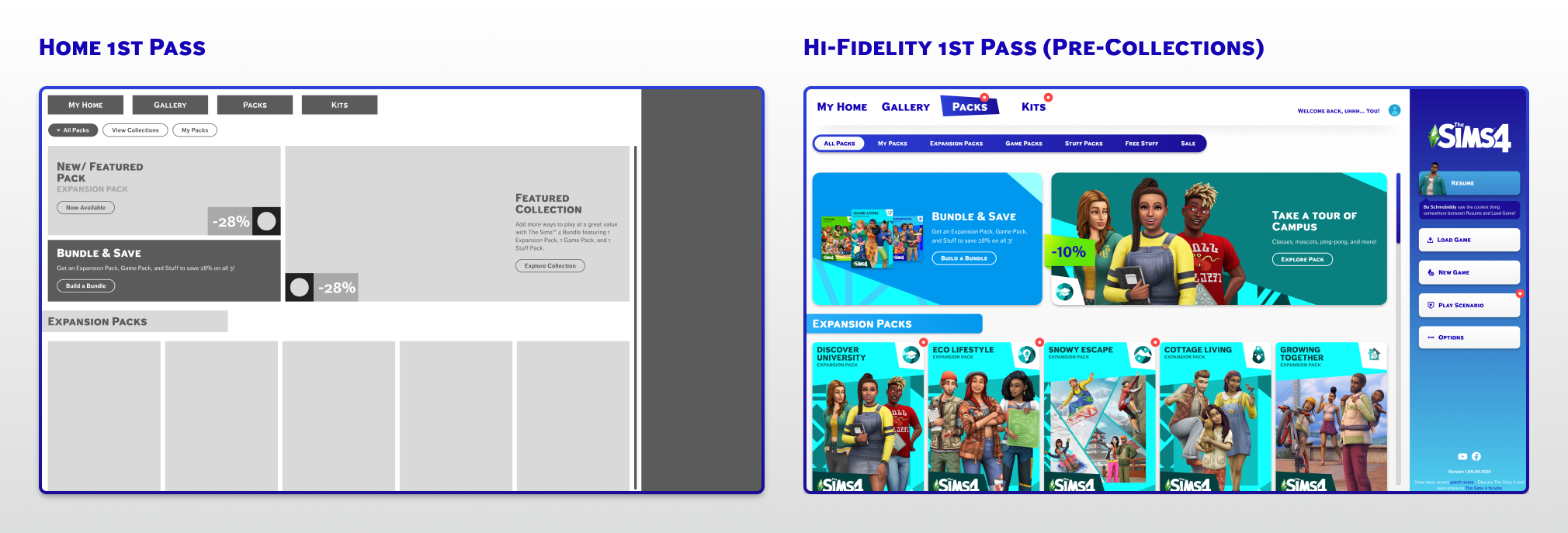
The core redesign challenge was helping players discover packs they didn't know they needed. I introduced a 'collections' concept, which are curated groupings of thematically linked packs, to make multi-pack storytelling the centerpiece of the browsing experience.
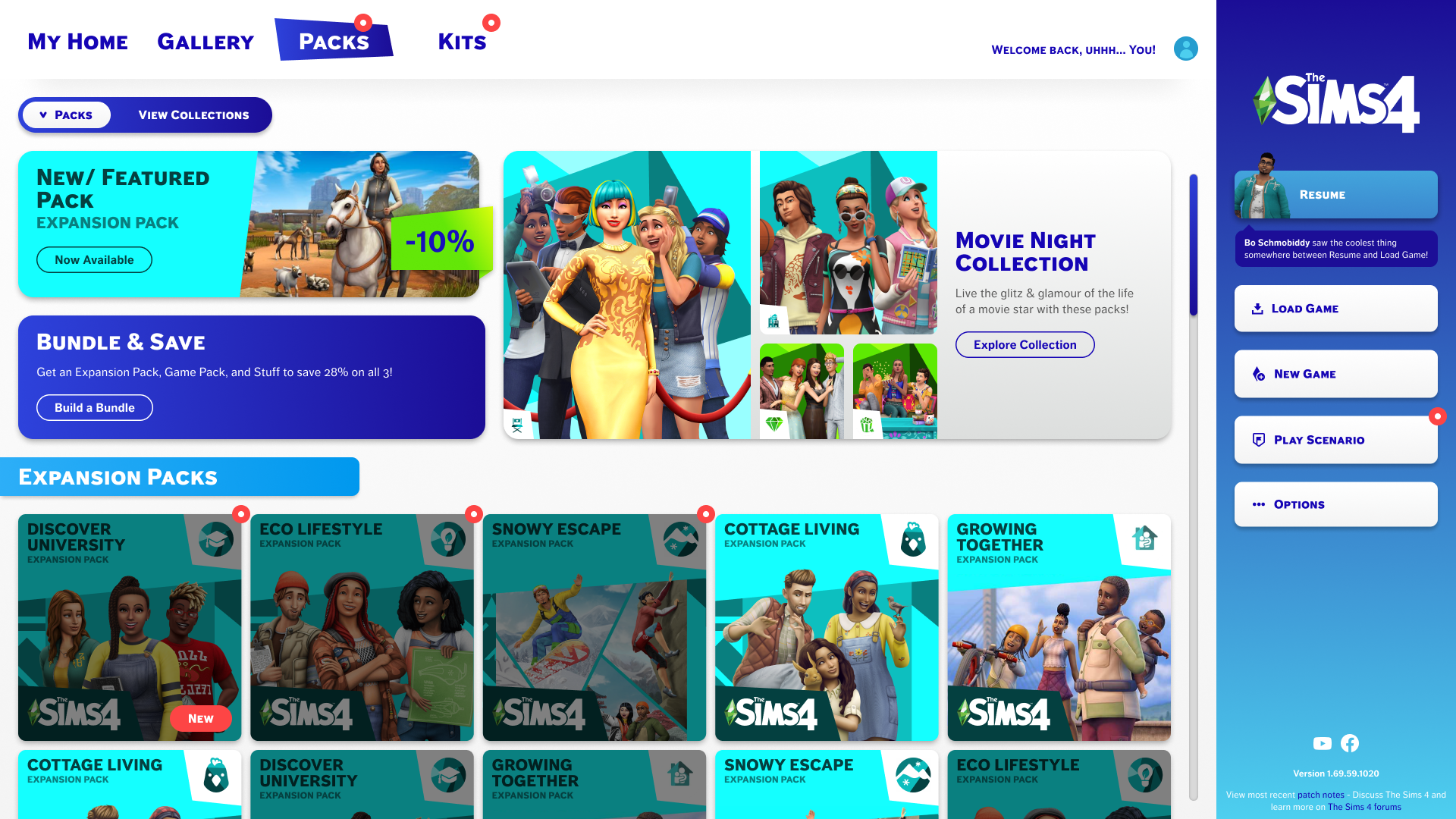
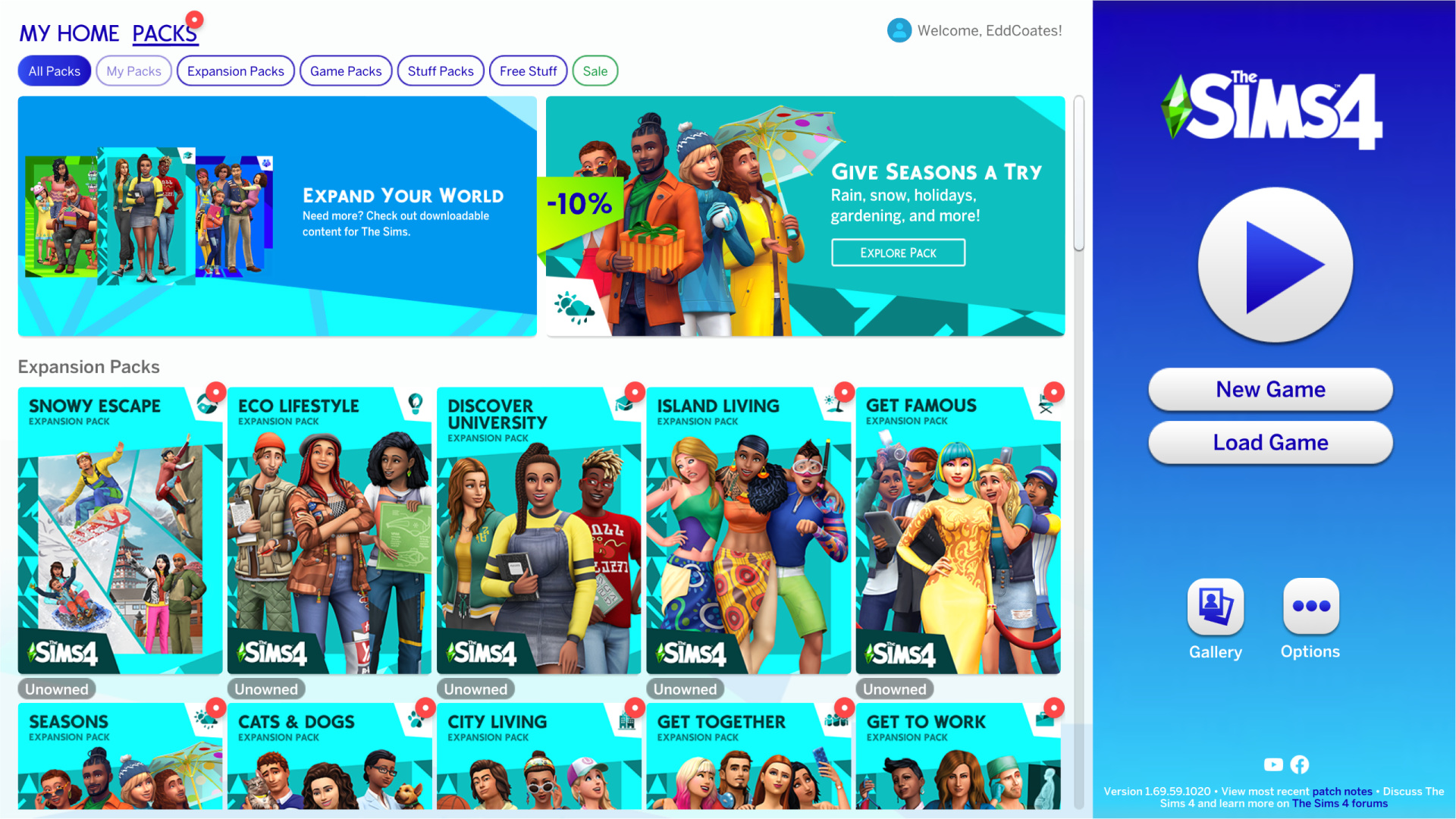
The Sims 4 game interface showing packs and expansion packs including New Featured Pack with a 10% discount, Movie Night Collection, and various expansion packs like Discover University, Eco Lifestyle, Snowy Escape, Cottage Living, and Growing Together.
My final design for the new home page
The Sims 4 game launcher featuring packs menu with various expansion pack covers like Snowy Escape, Eco Lifestyle, Discover University, Island Living, and Get Famous, plus buttons for New Game, Load Game, Gallery, and Options.The Sims 4 game interface showing packs and expansion packs including New Featured Pack with a 10% discount, Movie Night Collection, and various expansion packs like Discover University, Eco Lifestyle, Snowy Escape, Cottage Living, and Growing Together.
Before
After
Use the slider to compare my design with the original.
Side-by-side comparison of two Sims 4 store interface designs labeled Home 1st Pass and Hi-Fidelity 1st Pass, showing menu navigation, bundle offers, expansion packs, and user options.
My lo-fi and hi-fi iterations of the home page.

Redesigning the pack detail page

Organizing the content

Adding more content

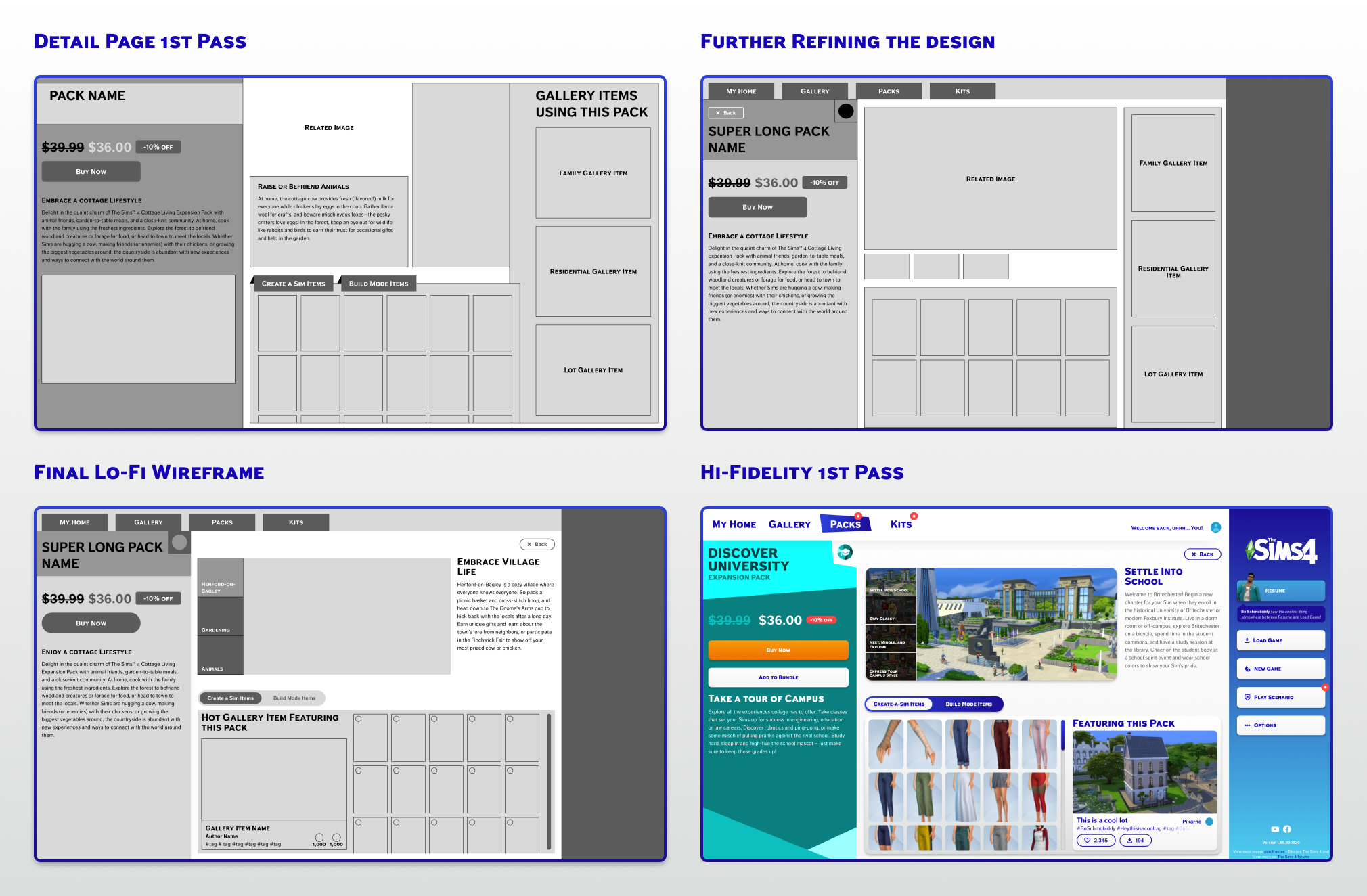
I wanted to emphasize the added simulation aspects of each pack on this page. I brought in the existing content from places like the EA store and the EA website to showcase how owning this specific pack would enhance your gameplay experience.

I also wanted to leverage the fantastic Sims 4 community here and showcase a community element that primarily features items in the selected pack. This would help players get tangible ideas of what they could do with this pack on the same screen to complete their purchase.
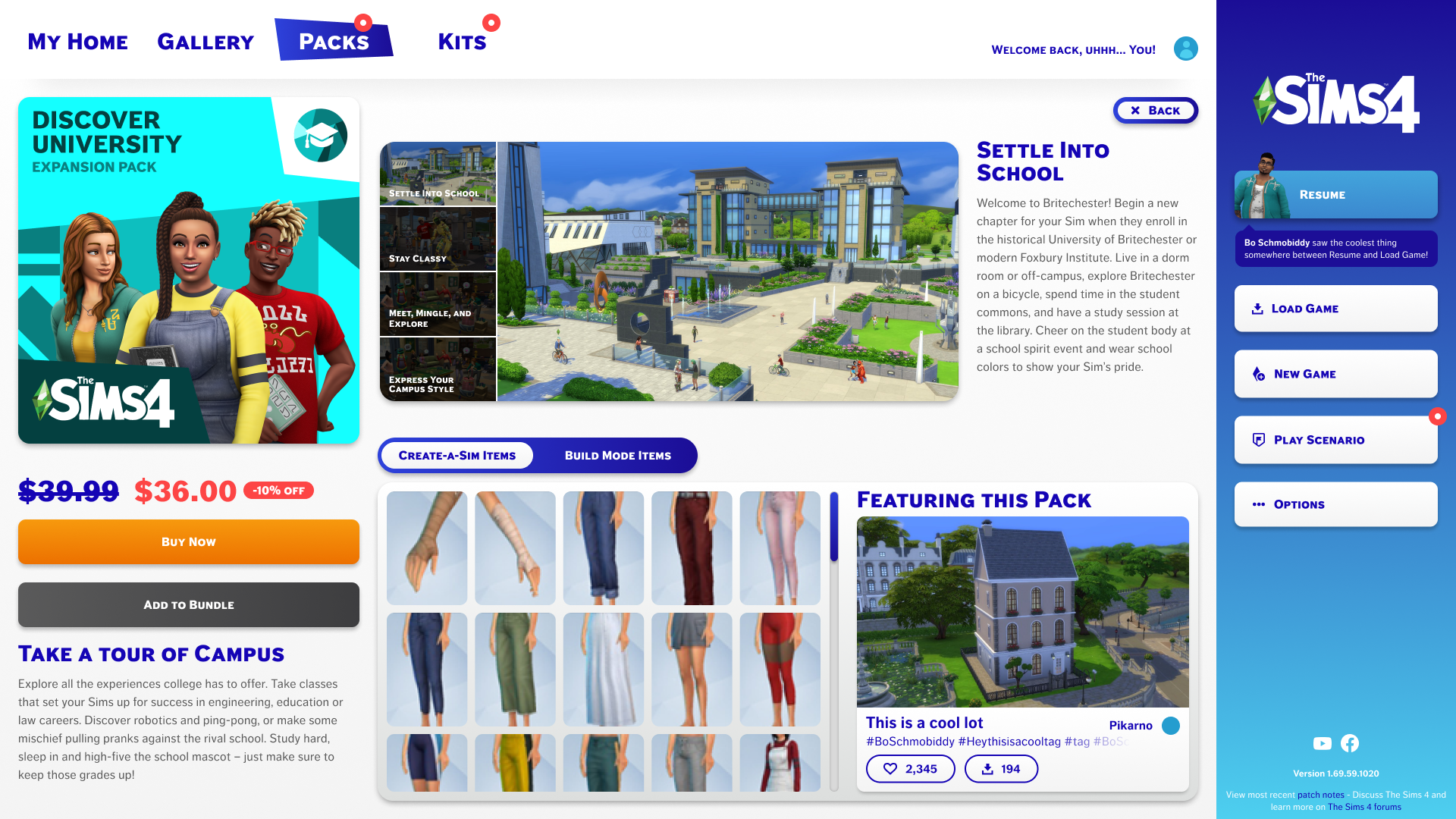
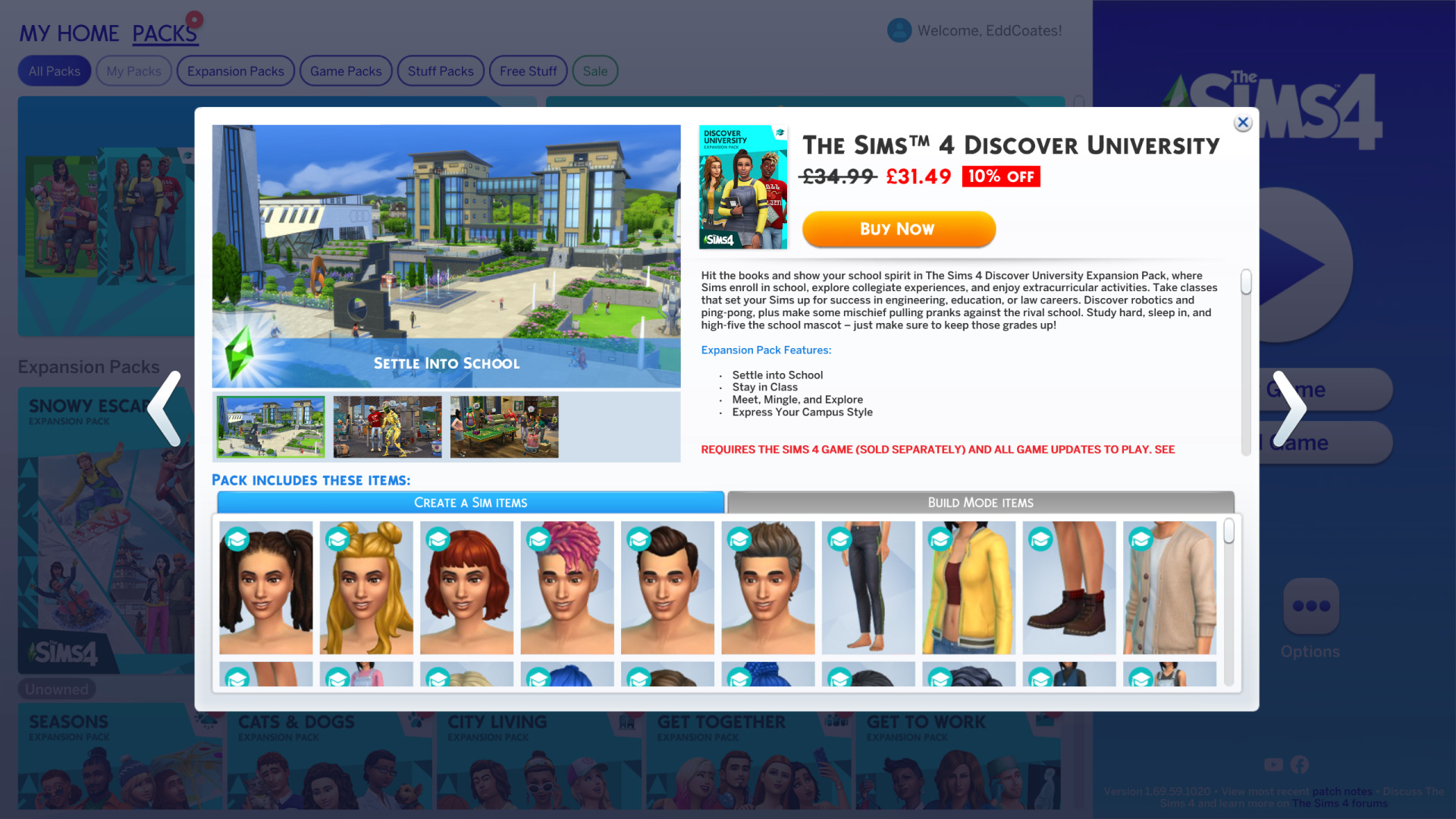
Sims 4 Discover University expansion pack page showing characters, campus features, clothing items, and pricing with buy and bundle options.
My final design for the new pack detail page.
The Sims 4 Discover University Expansion Pack screen showing a university campus image, item previews, pricing at £31.49 with 10% off, and features like settling into school and exploring campus style.Sims 4 Discover University expansion pack page showing characters, campus features, clothing items, and pricing with buy and bundle options.
Before
After
Use the slider to compare my design with the original.
Four UI design stages for a Sims 4 expansion pack detail page, from initial wireframes to a colorful high-fidelity first pass.
My lo-fi and hi-fi iterations of the pack detail page.

Creating the bundle & save page

Developing the resource library

Defining this page

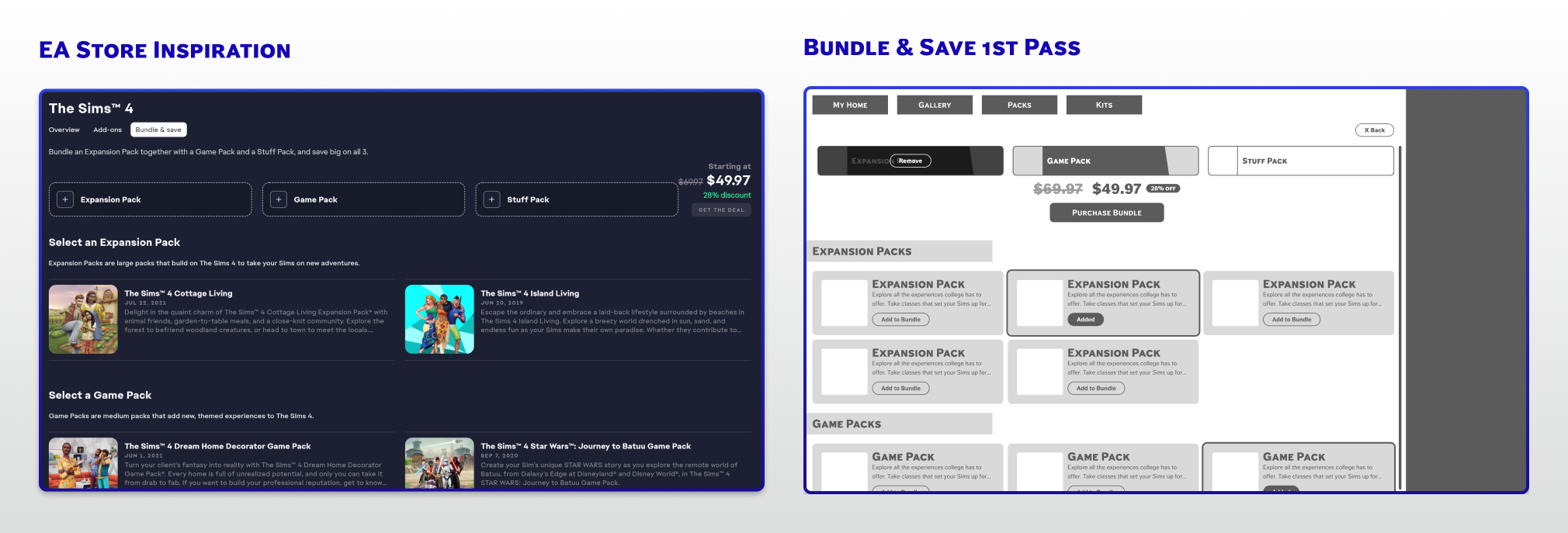
I thought it would be nice to have the bundling feature built into the game experience. The main goal was to take notes from the EA app experience and translate them to my redesign system. This way, players would have a familiar framework to use when seeing this content in-game.
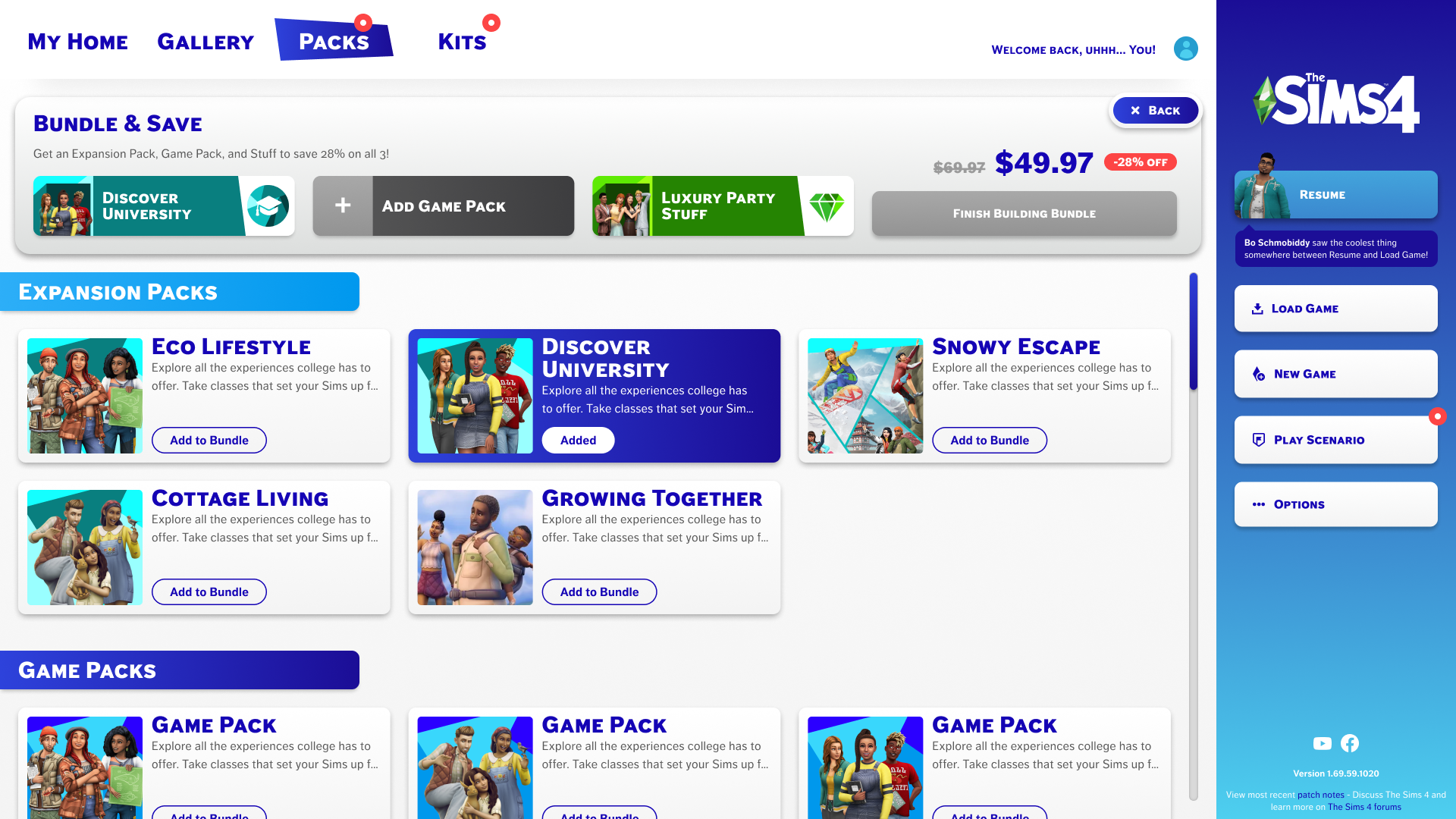
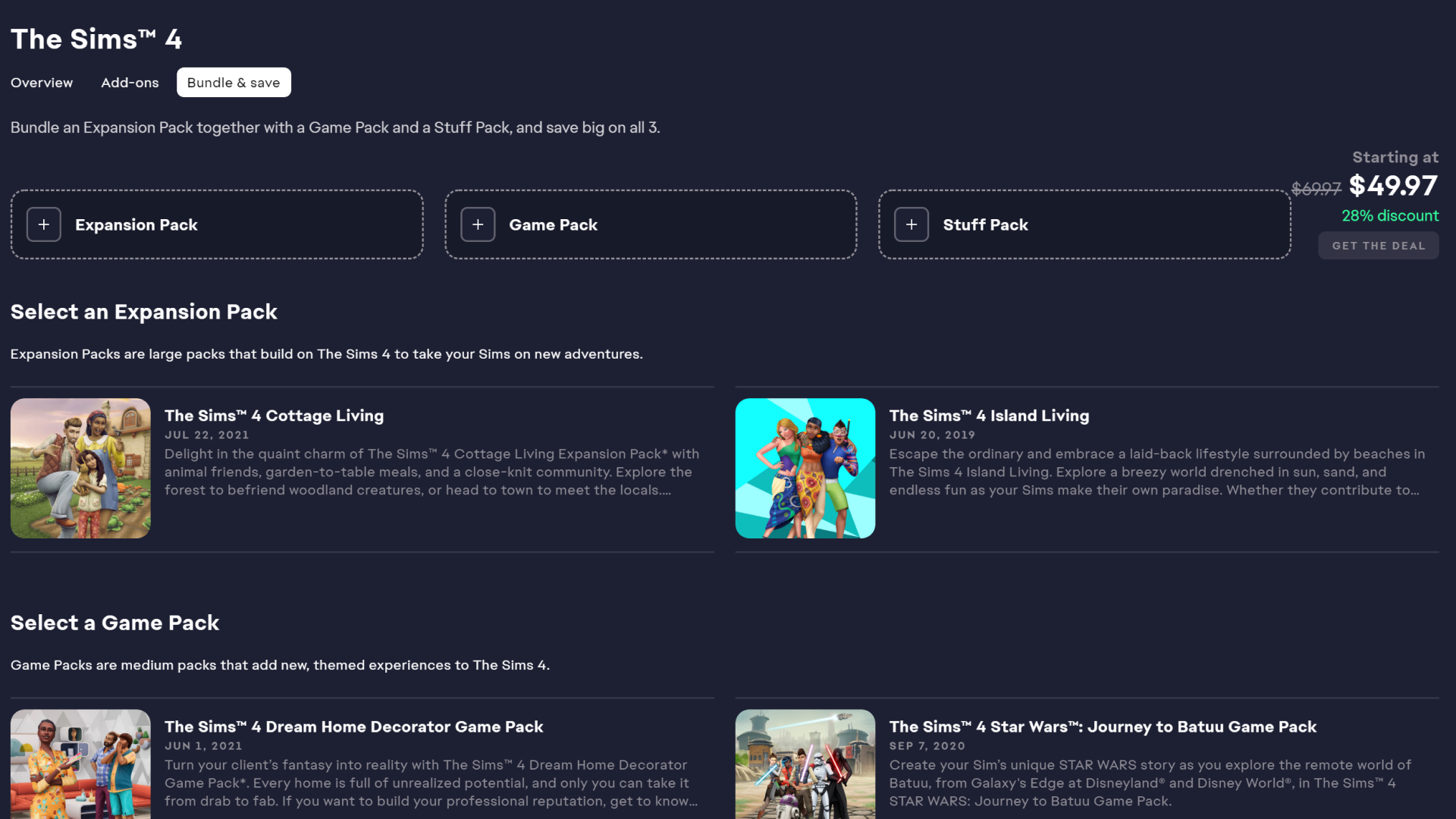
The Sims 4 packs store interface showing bundle offers, expansion packs like Eco Lifestyle, Discover University, Snowy Escape, Cottage Living, Growing Together, and game packs with options to add to bundle or finish building bundle at discounted price.
My final design for the new bundle & save page.
The Sims 4 bundle page showing options to select Expansion Pack, Game Pack, and Stuff Pack with starting price, discount, and details for each pack including Cottage Living, Island Living, Dream Home Decorator, and Star Wars Journey to Batuu.The Sims 4 packs store interface showing bundle offers, expansion packs like Eco Lifestyle, Discover University, Snowy Escape, Cottage Living, Growing Together, and game packs with options to add to bundle or finish building bundle at discounted price.
Before
After
Use the slider to compare my design with the original.
Comparison of two user interface designs for bundling expansion, game, and stuff packs in The Sims 4: left side shows EA Store Inspiration with detailed pack options, right side displays Bundle & Save first pass with simplified layout and bundle purchase button.
Exploring how I could create a UI that supported the existing EA store bundle experience.

Reflecting on this project

Going forward

Building on this project

I would love to continue this project by further building the collection pages and finalizing the ‘packs’ flow. I’ve been designing them and only have some rough designs for now, but I’d love to share them anyway!

Taking this to the other areas I greyed out in the player flow could also be fun.
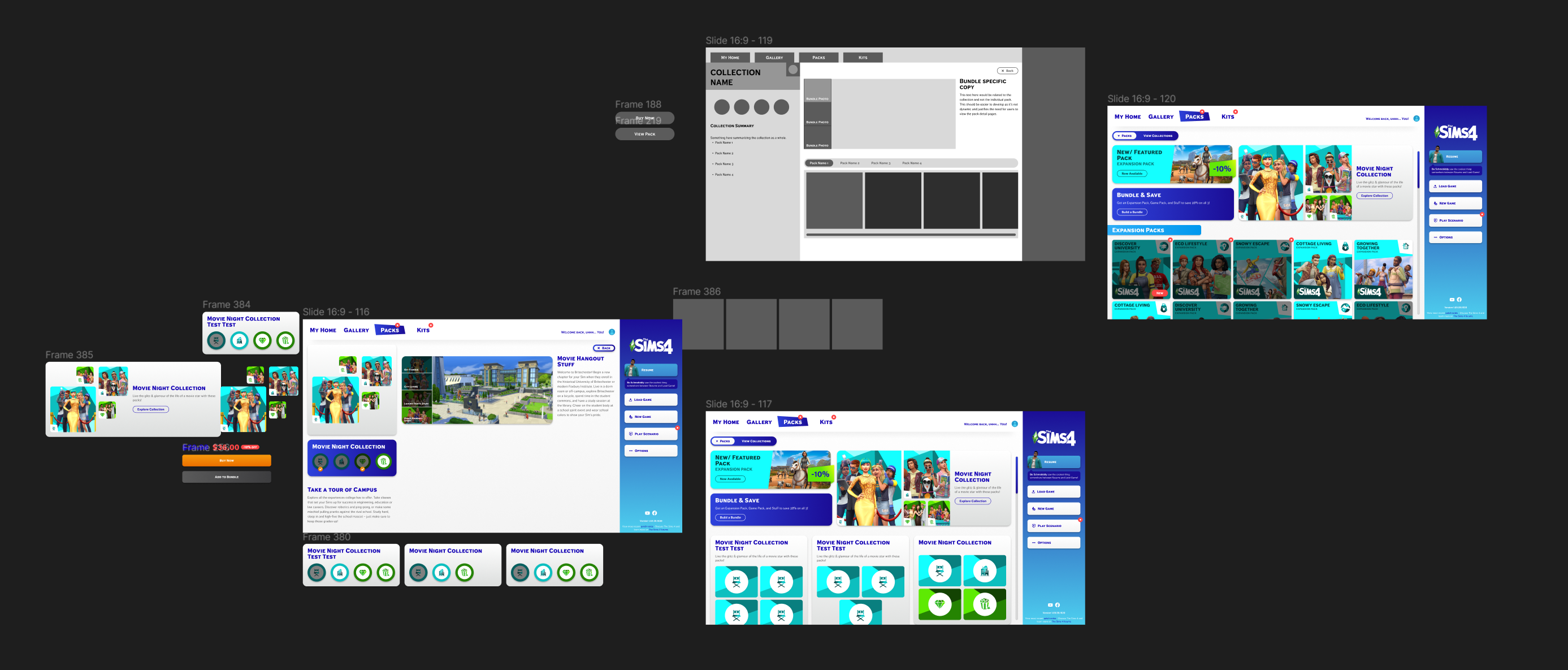
User interface design mockups for Sims 4 pack collections, showing multiple screen views including collection summary, featured packs, bundle offers, and detailed pack icons with navigation menus.
Some of the rough progress I have on the new collections view.

Learnings

Designing within an existing IP taught me to balance creative ambition with brand fidelity. The biggest challenge was making new features feel native to the Sims 4 universe rather than foreign. I'd love to take this further by running usability tests with real Sims players to validate whether the collection concept resonates the way I intended.

Let's talk some more

I'd love to walk you through my process and talk through decisions. If something in this case study caught your eye, I'd love to chat.